29.0.6
Source date November 19, 2026
Current catalog package
This is the current package in the catalog. Check the official product page for release details and compatibility notes.
Official product page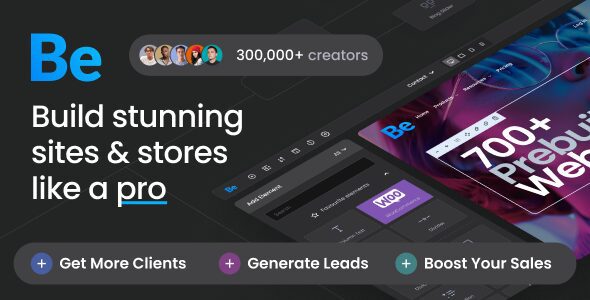
Business themes · Muffin Group
Build WordPress sites with BeBuilder, prebuilt designs and WooCommerce integration.
File manifest
Downloads open on Loadpier in a new tab. Add only the files you need to your queue.
Package contents & compatibility
Release history & rollback
This is the current package in the catalog. Check the official product page for release details and compatibility notes.
Official product pageNo earlier package is currently available for this product.
Product overview
BeTheme is a multipurpose WordPress theme built around BeBuilder, its visual drag-and-drop editor. It combines page design controls with a library of more than 700 prebuilt websites and WooCommerce integration. You can start with a complete design, replace its content and adjust layouts rather than building every page from an empty canvas.
Other multipurpose themes include The7, Avada and Bridge.
Version 29.0.5 is the release covered here. BeTheme is most useful when you want the theme and primary layout workflow to remain connected. A prebuilt design is a starting point, not a finished site: navigation, forms, mobile spacing, images and imported sample content still need a deliberate review.
BeTheme fits business sites, portfolios, landing pages and WooCommerce stores where non-developers need control over presentation. Agencies can also use prebuilt designs to establish an initial structure before applying client branding and content.
It is less attractive for a site that already depends on another builder or needs a minimal, fixed theme. Moving existing builder-generated pages into BeBuilder is a content-migration project, not just a theme switch. Check representative pages and any custom templates before adopting it on an established site.
Exact WordPress and PHP compatibility has not been verified for this package. Test it with your actual WordPress version, server configuration and active plugins. WooCommerce is relevant only when shop functionality is required; no additional dependency is asserted without confirmation.
No license key, developer support or automatic updates are included. Registration-dependent services may require a separate arrangement with the developer. Packages are spot-checked on an isolated test install, and every archive passes ClamAV and heuristic scans before it is published.
The catalog package is now 29.0.6. Older release notes are hidden until this version has been reviewed.
Back up both the database and site files. In WordPress, open Appearance → Themes → Add New → Upload Theme, select the BeTheme ZIP and choose Install Now. Activate it on staging first, then review menus, widgets, typography and representative pages. For a store, test product pages, cart, checkout and account screens. Import only the design content you intend to use.
For rollback, restore the backup made before activation where possible. Alternatively, activate a temporary default theme and restore the previous known-good BeTheme copy, then recheck layouts and any database changes. Keep the recovery copy until forms, shop pages and mobile layouts pass testing.
BeTheme suits WordPress projects that want a visual builder and a large library of starting designs in one theme. It can reduce initial layout work, but imported content still needs editing and performance checks. Version 29.0.5 adds AI Creator according to the official changelog. Test your exact plugins, shop templates and rollback copy on staging before deployment.
Yes. BeTheme is built around BeBuilder, which provides visual drag-and-drop tools for page layouts and design elements.
No. WooCommerce is needed for shop functionality, but a business site, portfolio or blog can use BeTheme without enabling a store.
The official changelog lists AI Creator for automated page and blog-post creation, including featured images and content. Further detailed notes were not verified.
The package contains the complete premium version of the product — the same code the developer sells. A license key is not included, so automatic updates and vendor support tickets are not available; new versions appear in this catalog as they are released.
It passes ClamAV and heuristic scans before it is published, and the manifest documents its SHA-256 hash, so you can verify that the file you download matches exactly.