5.2.2
Source date March 29, 2026
Booking & appointments · FS Code
Booknetic
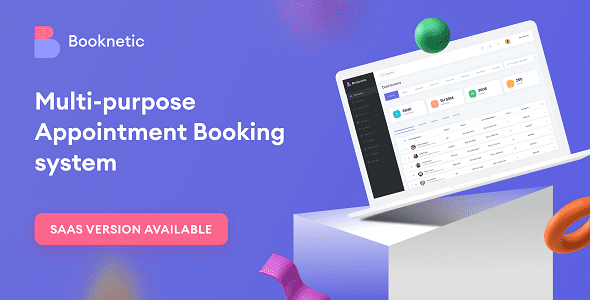
Manage WordPress appointments with configurable services, staff schedules, customer booking tools, payments, and notifications.
Catalog package5.2.2Source date March 29, 2026Download 5.2.2
File manifest
Choose packages
PackageVersionFileAction
Downloads open on Loadpier in a new tab. Add only the files you need to your queue.
Package contents & compatibility
What to install and what depends on it
PackageInstall orderDependencyScan
Booknetic WP Plugin1 · install firstCheck product requirementsPassed
Booknetic Saas v3.10.02 · optional packageInstall after main packagePassed
File checksClamAV + heuristic
WordPress / PHP compatibilityUnknown — not verified
SHA-256Checks download integrity, not security
Release history & rollback
Current by default, previous when needed
No earlier package is currently available for this product.
Product overview
What Booknetic does
Booknetic adds an appointment booking system to WordPress. Customers can choose a service, location, staff member, and available time, while the business manages appointments from a central calendar. It supports both straightforward bookings and operations with several providers or branches.
The plugin is most useful when its schedule matches actual operating rules. Define service durations, staff assignments, working hours, breaks, and days off before promoting the booking page. This prevents a polished form from offering times that the business cannot fulfill.
Key features
- Service and staff scheduling: organize services into categories, set durations and prices, assign providers, and configure availability by location.
- Configurable booking panel: adjust booking steps and labels, collect service-specific information with custom forms, and place the panel with a block or shortcode.
- Customer self-service: let clients view appointments, update profiles, reschedule or cancel within the rules you set, and pay outstanding balances through supported workflows.
- Operations and communication: manage appointments in a calendar, review reports, send reminders, and connect supported payment, calendar, meeting, or marketing services.
Who it is for
Booknetic suits salons, clinics, tutors, consultants, repair businesses, and other teams selling scheduled time. Multi-location and staff controls are helpful when customers need to choose a branch or provider. Group appointments, recurring bookings, shared resources, and multi-staff appointments can support more specialized operations through their respective features.
A business that only needs a static contact form may find the configuration unnecessary. Start with the smallest booking process that reflects the real service, then add payments or integrations after availability and notifications work correctly.
Things to know
Some advanced features are separate add-ons, while payment gateways, SMS delivery, video meetings, and calendar synchronization may require external accounts and credentials. Confirm which components your intended workflow needs before configuring the live site.
Exact WordPress and PHP compatibility has not been verified for this package. No license key, developer support, or automatic updates are included. The catalog archives are scanned and checksum-verified, and the file manifest publishes the hash so you can confirm the download yourself.
What changed in Booknetic 5.2.2
The main plugin ZIP identifies itself as version 5.2.2. Detailed official release notes for this version were not verified, so no feature addition, bug fix or security fix is attributed to it here. Changes listed for other Booknetic releases should not be assigned to this package.
Installation and rollback
Back up WordPress files and the database, then prepare a staging copy. Open Plugins → Add New → Upload Plugin, upload the main Booknetic ZIP, install it, and activate it. Configure business hours, a location, a service category, a service, and a staff member assigned to that service. Add the booking panel to a page using the Booknetic block or `[booknetic]` shortcode.
Place test bookings as a customer and confirm availability, notifications, cancellation behavior, and any enabled payment flow. For rollback, restore the pre-update backup or a known-good earlier package on staging first. Preserve booking data, repeat the same tests, and avoid deleting plugin data during troubleshooting.
Our take
Booknetic is a practical fit for service businesses that need scheduling to reflect real staff availability rather than a simple contact form. Its useful depth comes with setup work: map services, locations, working hours, and cancellation rules first. Test the complete customer journey on staging, especially payment callbacks, reminders, calendar connections, and time-zone behavior.
Good
- Configurable services, staff schedules, locations, and booking rules
- Customer panel for appointments, profile details, and open balances
- Custom forms, automated reminders, and multiple integration options
- Administrative calendar and reports for daily booking operations
Watch out
- Careful schedule and service setup is required before launch
- Some integrations and advanced capabilities need separate components
- Exact WordPress and PHP compatibility has not been verified
- No license key, developer support, or automatic updates included
Requirements and compatibility
- Exact WordPress and PHP requirements have not been verified for this package.
- Test the main package and each addon on a staging site before updating production.
- A license key is not included. Developer support, automatic updates and cloud services are separate offerings from the original developer.
How to install Booknetic
- Download the main package on this page. Keep addons for later unless you need their features.
- In WordPress, open Plugins → Add New → Upload Plugin, upload the ZIP and activate it after installation.
- Install additional packages only after checking that the main product works with your site.
- Test your critical workflow on a staging site before updating production.
Booknetic FAQ
What should I configure before accepting Booknetic appointments?
Set business hours, at least one location, a categorized service, and a staff member assigned to that service. Then place a complete test booking through the public panel.
Does Booknetic include every integration in the main plugin?
No. Some advanced capabilities use separate add-ons, and services such as SMS, payments, video meetings, or calendar synchronization can also require external accounts.
What changed in Booknetic 5.2.2?
The main plugin ZIP is version 5.2.2. Detailed official release notes for this version were not verified, so no specific changes are claimed here.
Is this the full Pro version of the product, and is a license key included?
The package contains the complete premium version of the product — the same code the developer sells. A license key is not included, so automatic updates and vendor support tickets are not available; new versions appear in this catalog as they are released.
What checks does this package go through?
The archive passes malware and heuristic scanning before publication, packages are spot-checked on an isolated test install, and the file manifest lists the checksum so you can confirm the file yourself.