5.3.3
October 23, 2026
Current catalog package
Privacy, vendor permission and marketplace workflow fixes.
Official product page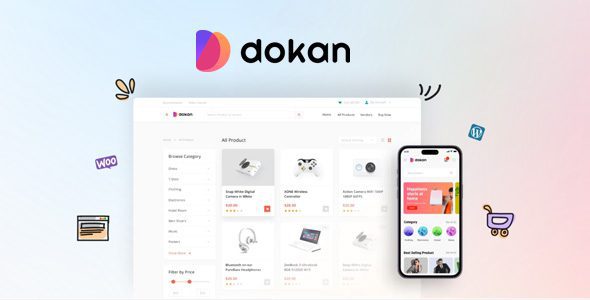
WooCommerce · weDevs
Build a multi-vendor WooCommerce marketplace with front-end tools for sellers.
File manifest
Direct downloads use the current package. Add only the files you need to your queue.
Package contents & compatibility
Release history & rollback
Privacy, vendor permission and marketplace workflow fixes.
Official product pageNo earlier package is currently available for this product.
Product overview
Dokan Pro turns a WooCommerce store into a multi-vendor marketplace. Sellers can manage their own products, orders, coupons, shipping and reports from a front-end dashboard, while the site owner controls commissions, vendor permissions and marketplace settings. This reduces the need to give every seller access to the WordPress administration area.
Dokan Pro is a practical choice for an existing WooCommerce store that wants to onboard independent sellers: a local craft marketplace, a digital-goods catalog or a multi-brand shop. It is less suitable for a single-seller store that only needs a simpler product catalog or checkout.
Before opening vendor registration, decide who approves sellers, how commissions are calculated and how payouts are handled. Those operational choices matter more than enabling every available feature.
WooCommerce must be installed and configured first. The booking addon and theme are independent packages, not mandatory components of every installation. Install only what your marketplace actually needs and test vendor registration, product submission, orders, commissions and payouts on a staging site.
Exact WordPress and PHP compatibility has not been verified for this package. A license key is not included. Developer support, automatic updates and cloud services are separate offerings from the original developer.
The current release focuses on privacy, permissions and marketplace workflows. Guests can no longer view multi-vendor parent orders, notes or downloads through the orders REST endpoint. Public product REST endpoints also stopped exposing vendor-only data such as download links, earnings, purchase notes and private product details.
The store contact form now sends mail from the store’s own address and uses the visitor’s email only for replies. Multisite administrators can no longer change the selling status of vendors from another site. Reverse withdrawal payments can no longer be discounted with coupons, and vendor balances are credited only with the amount actually paid.
Products created through the vendor API now respect the vendor’s selling status and are held for review when direct publishing is not allowed. Menus disabled in Dashboard Menu Manager stay hidden in the collapsed sidebar and cannot be opened through a direct link. Vendor social profile links are also hidden when the Social Profile menu is disabled.
Download Dokan Pro WP Plugin first and keep the booking addon and theme for later if you need them. In WordPress, open Plugins → Add New → Upload Plugin, upload the main ZIP and activate it. Complete the marketplace setup, review commission and withdrawal settings, then create a test vendor and run the full path from registration to order and payout.
Version 5.3.3 is the recommended current release. Use an earlier package only for compatibility testing or rollback after checking it on a staging site.
Dokan Pro suits stores that need independent sellers with separate catalogs and orders. Its front-end dashboards reduce the need to give vendors access to WordPress admin. The current release also addresses privacy and permission issues, but setup still requires careful work on commissions, payouts and vendor permissions. Test the complete workflow on staging before opening registration.
No. Dokan relies on WooCommerce products, orders and store settings, so WooCommerce must be configured first.
No. The main plugin is required for the marketplace. The booking addon and theme are optional packages for specific needs.
No. There is no license key, vendor support or automatic update service included with these packages.
The release includes REST privacy fixes, vendor permission updates, contact-form hardening and marketplace workflow fixes. This page provides the main plugin, booking addon and theme as separate packages.
Yes, when a previous package is available. Test it on a staging site first and use the current release for normal installations.