Codenulled
JetElements logo

Elementor add-ons · Crocoblock

JetElements

Add interactive widgets, media layouts, charts and visual effects to Elementor pages.

Catalog package2.9.2.8Source date November 6, 2026Download 2.9.2.8
Release history & rollback2.9.2.7

File manifest

Choose packages

1 available
PackageVersionFileAction
JetElementsMain package
2.9.2.8
2.5 MB3930681b46ef…
Download

Downloads open on Loadpier in a new tab. Add only the files you need to your queue.

Package contents & compatibility

What to install and what depends on it

PackageInstall orderDependencyScan
JetElements1 · install firstCheck product requirementsPassed
File checksClamAV + heuristic
WordPress / PHP compatibilityUnknown — not verified
SHA-256Checks download integrity, not security

Release history & rollback

Current by default, previous when needed

2.9.2.8 Source date November 6, 2026

Current catalog package

JetElements 2.9.2.8 prevents stored XSS in Lottie animations by disabling expressions, preserves JetEngine repeater query settings in JetTabs accordions, and preserves advanced background and border styles across all widgets.

Official product page

No earlier package is currently available for this product.

Product overview

What JetElements does

JetElements expands the Elementor editor with widgets for presenting content, media, marketing information and numerical data. It can replace several single-purpose addons when a site needs sliders, portfolios, comparison blocks and animated sections within one interface.

The practical approach is selective adoption. Build one page section at a time, reuse typography and spacing from the site design, and avoid adding motion simply because a widget offers it. This keeps the editor manageable and makes front-end checks easier.

Key features

  • Sliders and carousels: present portfolio items, products, reviews or other content with configurable navigation and transitions.
  • Portfolio and media tools: use grid, masonry, list or justify layouts, full-size image views, and audio or video players.
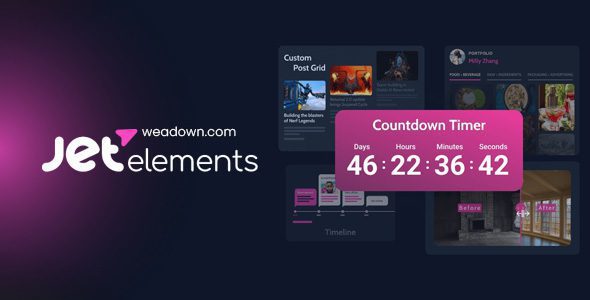
  • Marketing sections: create pricing tables, testimonials, team profiles, countdown timers, timelines and logo showcases.
  • Data visualization: add pie and bar charts, progress bars, circle progress indicators and responsive tables.
  • Visual enhancements: use before-and-after comparisons, Lottie animation, banners, download buttons and section effects where they support the page goal.

Who it is for

JetElements suits designers, agencies and site owners already working in Elementor who need a varied widget library for service sites, portfolios, landing pages or content-rich business websites. It is particularly handy for building repeated layouts such as service cards, project galleries and pricing sections without writing custom scripts.

A site that needs only one simple slider may not benefit from a full addon collection. Likewise, content teams should establish which widgets editors may use so that every page does not develop a different visual language.

Things to know

Elementor is required; JetElements extends that editor rather than replacing it. Exact WordPress and PHP compatibility has not been verified for this package. Review the staging site with your active theme and other Elementor addons before deploying, paying attention to carousel controls, responsive tables, embedded media and animation behavior on smaller screens.

No license key, developer support or automatic updates are included. Any external media or feed features should also be checked with your own accounts and content. The archive is scanned with ClamAV and heuristic checks before it reaches the catalog, and the published checksum lets you confirm that the file you download is exactly the file that was checked.

What changed in JetElements 2.9.2.8

JetElements 2.9.2.8, released November 5, 2026, prevents stored XSS in Lottie animations by disabling expressions, preserves JetEngine repeater query settings in JetTabs accordions, and preserves advanced background and border styles across all widgets.

Installation and rollback

Back up the database and files, then confirm that Elementor is already installed and active. In WordPress, open Plugins → Add New → Upload Plugin, upload the JetElements ZIP, install it and activate it. Open an Elementor page, locate the required widgets and review any widget-management settings before rebuilding live layouts. Check representative pages at desktop and mobile widths, including navigation, media playback and forms near updated sections.

For rollback, restore the known-good backup or reinstall the previous working package on staging first. Deactivate JetElements before replacing its files when required by your deployment method. After restoration, clear applicable caches and check every layout that used its widgets; removing the plugin without replacing those elements can leave incomplete page sections.
Our take

JetElements is most useful when an Elementor project needs several presentation tools that would otherwise require separate addons. Its carousels, portfolio layouts, pricing tables, timelines and charts cover common business and publishing pages. Enable only the widgets you actually use, keep reusable styles consistent and check every interactive element on mobile. Version 2.9.2.8 addresses stored XSS in Lottie animations, making the update especially relevant for existing sites.

Good

  • Broad widget collection for Elementor page building
  • Carousels, galleries, timelines and pricing tables included
  • Charts and progress widgets support data presentation
  • Version 2.9.2.7 includes stored XSS security fixes

Watch out

  • Requires Elementor and careful widget configuration
  • Unneeded widgets and effects can complicate page maintenance
  • Exact WordPress and PHP compatibility has not been verified
  • No license key, developer support or automatic updates included

Requirements and compatibility

  • Exact WordPress and PHP requirements have not been verified for this package.
  • Test the main package and each addon on a staging site before updating production.
  • A license key is not included. Developer support, automatic updates and cloud services are separate offerings from the original developer.

How to install JetElements

  1. Download the main package on this page. Keep addons for later unless you need their features.
  2. In WordPress, open Plugins → Add New → Upload Plugin, upload the ZIP and activate it after installation.
  3. Install additional packages only after checking that the main product works with your site.
  4. Test your critical workflow on a staging site before updating production.

JetElements FAQ

Does JetElements work without Elementor?

No. JetElements is an addon for the Elementor editor, so Elementor must be installed and active.

What changed in JetElements 2.9.2.8?

The official changelog lists a stored-XSS fix for Lottie expressions and fixes for JetEngine repeater queries in JetTabs and advanced widget background and border styles.

Are WordPress and PHP compatibility confirmed?

No. Exact compatibility has not been verified for this package, so test your specific environment on staging.

Is this the full Pro version of the product, and is a license key included?

The package contains the complete premium version of the product — the same code the developer sells. A license key is not included, so automatic updates and vendor support tickets are not available; new versions appear in this catalog as they are released.

How do I know the archive is clean?

It passes ClamAV and heuristic scans before it is published, and the manifest documents its SHA-256 hash, so you can verify that the file you download matches exactly.