5.6.105
October 24, 2026
Online store · StylemixThemes
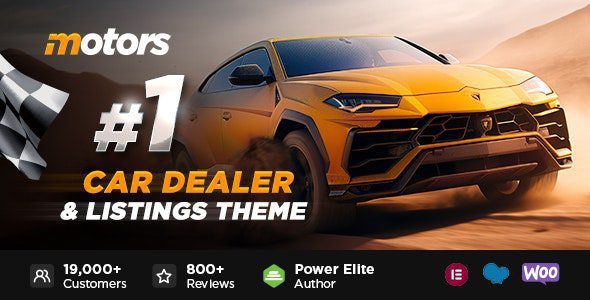
Motors
Build a vehicle dealership, classifieds or rental site with inventory tools and front-end listings.
Current release5.6.105October 24, 2026Download 5.6.105
File manifest
Choose packages
PackageVersionFileAction
Direct downloads use the current package. Add only the files you need to your queue.
Package contents & compatibility
What to install and what depends on it
PackageInstall orderDependencyScan
Motors WP Theme1 · install firstCheck product requirementsPassed
Motors Car Dealer Plugin v1.2.312 · optional packageInstall after main packagePassed
File checksClamAV + heuristic
WordPress / PHP compatibilityUnknown — not verified
SHA-256Checks download integrity, not security
Release history & rollback
Current by default, previous when needed
No earlier package is currently available for this product.
Product overview
What Motors does
Motors is a WordPress theme for vehicle dealerships, automotive classifieds and rental businesses. It combines site design with tools for presenting vehicle inventory, filtering listings, comparing vehicles and accepting seller submissions. Rental layouts, finance calculations and WooCommerce integration support sites that need transactions as well as a catalog.
The package contains the Motors theme and the Motors Car Dealer Plugin as separate downloads. The plugin supplies dealership and listing functionality, while the theme handles the site’s presentation.
Key features for automotive websites
- Inventory management: create vehicle listings with dedicated details, media and search filters.
- Seller and dealer tools: support front-end vehicle submissions and dealer-oriented listing workflows.
- Comparison and finance tools: help visitors compare vehicles and estimate loan or finance payments.
- Rental options: rental layouts and date-based discounts support vehicle hire businesses.
- Imports and commerce: CSV/XML inventory import and WooCommerce support are available for suitable project setups.
Who Motors is for
Motors fits a dealership that wants searchable inventory, a classifieds project with multiple sellers, or a rental company that needs vehicle-specific pages and pricing. It is less suitable for a small business site that only needs a few static pages and a contact form.
Choose a demo according to the business model and page builder you actually plan to use. Demo imports can add many pages, settings and assets, so build and evaluate the site on staging rather than importing several demos into a live installation.
Things to know before installing
This download provides Motors 5.6.105 and Motors Car Dealer Plugin 1.2.31. It is not the newest upstream package: the developer’s changelog lists Motors 5.6.106, released on October 22, 2026, and a newer Pro plugin branch. Review those updates before deciding which version to deploy.
Exact WordPress, PHP, page-builder and third-party plugin compatibility has not been verified for these archives. A license key is not included. Developer support, automatic updates and licensed third-party services are separate offerings from their respective developers.
What changed in Motors 5.6.105
The official October 7, 2026 changelog lists updates to two bundled page-building components: WPBakery 9.0.1 and Slider Revolution 6.7.58. This release does not introduce a documented new dealership feature in its changelog entry.
The subsequent Motors 5.6.106 release updates the Freemius SDK. That newer theme archive is not included in this package. Keep this distinction in mind when reviewing release history or planning an update.
Installation and rollback
Back up the site and test the package on staging. In WordPress, open Appearance → Themes → Add New → Upload Theme and install the Motors WP Theme archive. Then upload the Motors Car Dealer Plugin through Plugins → Add New → Upload Plugin if your installation requires that separate component. Follow the theme’s setup prompts and install only the builder and extensions required by your chosen demo.
Create several test vehicles, check search and comparison, and run the seller or rental workflow that your project will use. If you need to roll back, restore the previous theme and companion plugin together where possible; mixing releases can change templates and listing behavior.
Our take
Motors is aimed at automotive sites that need more than a visual theme: vehicle inventory, search filters, seller submissions and rental options are central to the package. It makes sense when those features match the project from the start. For a simple brochure site, a general-purpose theme is easier to maintain. This package is not the newest Motors release, so check the developer’s updates and test the bundled companion plugin before using it on a live site.
Good
- Vehicle inventory, comparison and advanced search tools
- Front-end selling and dealer-focused workflows
- Rental discounts, finance calculator and WooCommerce support
- Theme and companion plugin are separate packages
Watch out
- A newer theme release is already available upstream
- Bundled Car Dealer Plugin is older than the current Pro branch
- Demo and builder choices require careful setup
- No license key, developer support or automatic updates included
Requirements and compatibility
- Exact WordPress and PHP requirements have not been verified for this package.
- Test the main package and each addon on a staging site before updating production.
- A license key is not included. Developer support, automatic updates and cloud services are separate offerings from the original developer.
How to install Motors
- Download the main package on this page. Keep addons for later unless you need their features.
- In WordPress, open Appearance → Themes → Add New → Upload Theme, upload the ZIP and activate it after installation.
- Install additional packages only after checking that the main product works with your site.
- Test your critical workflow on a staging site before updating production.
Motors FAQ
Is Motors 5.6.105 the latest theme release?
No. The developer lists Motors 5.6.106 from October 22, 2026. This page provides the older 5.6.105 package.
Are the theme and Car Dealer Plugin the same file?
No. They are separate archives. Install the theme through the Themes screen and the companion plugin through the Plugins screen.
Can Motors handle rentals as well as vehicle sales?
Yes. Motors includes rental-oriented layouts and discount settings alongside dealership and classified-listing tools.
Does this package include support and automatic updates?
No. A license key, developer support and automatic update service are not included.
Should I import a demo directly on a live site?
No. Test the demo, builder requirements and listing workflows on staging first, especially when the site already has content.