1.3.2
Source date August 1, 2026
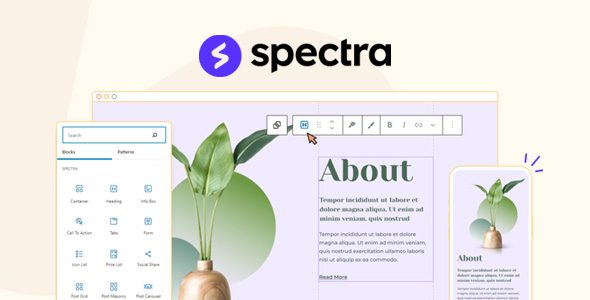
Block editor blocks · Brainstorm Force
Spectra Pro
Extend the WordPress block editor with additional layout controls, presets and design blocks.
Catalog package1.3.2Source date August 1, 2026Download 1.3.2
File manifest
Choose packages
PackageVersionFileAction
Downloads open on Loadpier in a new tab. Add only the files you need to your queue.
Package contents & compatibility
What to install and what depends on it
PackageInstall orderDependencyScan
Spectra Pro WP Plugin1 · install firstCheck product requirementsPassed
Blocks Pro2 · optional packageInstall after main packagePassed
File checksClamAV + heuristic
WordPress / PHP compatibilityUnknown — not verified
SHA-256Checks download integrity, not security
Release history & rollback
Current by default, previous when needed
No earlier package is currently available for this product.
Product overview
What Spectra Pro does
Spectra Pro adds design controls and extra blocks to WordPress’s built-in editor. It suits sites where editors want to assemble pages with containers, presets and reusable styling while keeping the familiar block-based workflow. Version 1.3.2 is the main archive in this package; Blocks Pro 1.0.4 is supplied separately as an optional package.
Before deployment, treat layout work as part of the theme and content system rather than an isolated visual layer. Check existing blocks, global fonts and responsive breakpoints on staging, then review every template that will use Spectra. This package does not include a license key, developer support or automatic updates.
Key features
- Container layouts: Flexbox controls help structure sections and adjust their behavior across screen sizes.
- Design presets: apply block presets and copy styling between blocks to keep repeated sections consistent.
- Asset handling: just-in-time loading limits block assets to those needed by a page.
- Template starting points: import a design, then replace its content, typography and colors to match the site.
Organized settings and editor integration keep design controls within the WordPress editing screen instead of moving page construction to a separate interface.
Who it is for
Spectra Pro fits freelancers, agencies and site owners already comfortable with WordPress blocks who need more control over landing pages, service sites and content layouts. It is less appropriate if your theme already provides all required patterns and you do not want another layout system to maintain.
Start with one representative page. Rebuild a header, a content section and a call to action, then inspect tablet and mobile output. Confirm that your editors can maintain the result before converting an entire site.
Things to know
The main download is Spectra Pro 1.3.2. Blocks Pro 1.0.4 is an optional, separately versioned archive, not a required dependency established by this manifest. Install it only when its specific functionality is needed. No other dependency is asserted here because none has been confirmed.
Exact WordPress and PHP compatibility has not been verified. Test plugin activation, editor loading, existing content, caching and front-end rendering on a staging copy. Packages are spot-checked on an isolated test install, and every archive passes ClamAV and heuristic scans before it is published. No license key, developer support or automatic updates are included.
What changed in Spectra Pro 1.3.2
Detailed release notes for Spectra Pro 1.3.2 were not verified from the official changelog, so no specific fix, feature or release date is claimed here. The version number comes from the supplied package record. Check the developer’s release notes before updating a production site, particularly when moving across several versions at once.
Installation and rollback
Back up files and the database, then create a staging copy. In WordPress, open Plugins → Add New → Upload Plugin, upload the main Spectra Pro ZIP and activate it. Leave the optional Blocks Pro ZIP uninstalled unless you have confirmed a need for it. Review settings, test a new page and inspect existing pages before repeating the deployment on production.
For rollback, deactivate the newly added package and restore the prior plugin version from your known-good backup if available. If content or layout data changed, restore the database backup as well rather than assuming that swapping ZIP files reverses every change. Keep a record of the previous version and the pages tested.
Our take
Spectra Pro is a sensible option when a site already uses the WordPress block editor and needs finer layout controls without adopting a separate editing interface. The main and optional archives should be evaluated independently. Since exact release notes and runtime compatibility are unverified, a staging test of the editor, responsive layouts and existing pages is essential before deployment.
Good
- Flexbox containers for responsive page layouts
- Block presets and style copying for repeated sections
- On-demand asset loading for blocks used on each page
- Templates and design controls inside the WordPress editor
Watch out
- Detailed 1.3.2 release notes and release date remain unverified
- Exact WordPress and PHP compatibility has not been verified
- No license key, developer support or automatic updates included
- A malware scan alone cannot establish package safety
Requirements and compatibility
- Exact WordPress and PHP requirements have not been verified for this package.
- Test the main package and each addon on a staging site before updating production.
- A license key is not included. Developer support, automatic updates and cloud services are separate offerings from the original developer.
How to install Spectra Pro
- Download the main package on this page. Keep addons for later unless you need their features.
- In WordPress, open Plugins → Add New → Upload Plugin, upload the ZIP and activate it after installation.
- Install additional packages only after checking that the main product works with your site.
- Test your critical workflow on a staging site before updating production.
Spectra Pro FAQ
Is Blocks Pro required for Spectra Pro?
The manifest supplies Blocks Pro 1.0.4 as an optional, separately versioned package. No dependency has been confirmed, so install it only if you need its functionality.
Is this the full Pro version of the product, and is a license key included?
The package contains the complete premium version of the product — the same code the developer sells. A license key is not included, so automatic updates and vendor support tickets are not available; new versions appear in this catalog as they are released.
What changed in Spectra Pro 1.3.2?
Detailed official release notes and the release date were not verified, so no specific changes are claimed.
Has WordPress or PHP compatibility been confirmed?
No. Exact WordPress and PHP compatibility has not been verified. Test activation, editing and front-end rendering on staging first.
What checks does this package go through?
The archive passes malware and heuristic scanning before publication, packages are spot-checked on an isolated test install, and the file manifest lists the checksum so you can confirm the file yourself.