2.7.5
Source date March 20, 2026
Current catalog package
Fixed REST API validation issues affecting the Search block and the Form Builder.
Official product page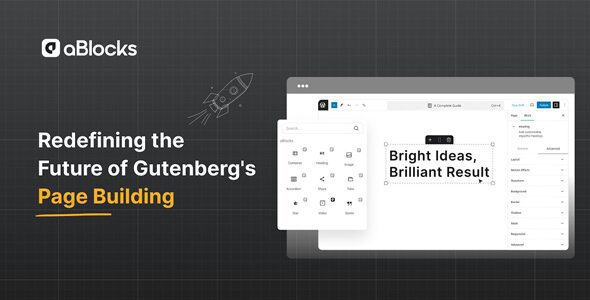
Block editor blocks · Kodezen LLC
Extends the WordPress block editor with 100+ blocks, Pro motion effects, display conditions, a form builder, popups and ready-made templates.
File manifest
Downloads open on Loadpier in a new tab. Add only the files you need to your queue.
Package contents & compatibility
Release history & rollback
Fixed REST API validation issues affecting the Search block and the Form Builder.
Official product pageNo earlier package is currently available for this product.
Product overview
aBlocks Pro is the paid tier of aBlocks, a Gutenberg block-collection plugin developed by Kodezen. It works inside the standard WordPress block editor rather than replacing it, adding a large library of blocks, pre-built designs and site-building tools such as forms, popups and dashboard layouts. Version 2.7.5, released on March 5, 2026, is a small maintenance update in the 2.7 line.
The plugin turns the block editor into a broader design environment. Alongside everyday content blocks — headings, buttons, lists, icons, tables of contents and containers — it ships creative blocks such as carousels, accordions, tabs, countdowns, image comparison, hotspots, charts, Lottie animation and content timelines. A form builder covers contact, login, registration, multi-step and subscription forms, and there are modal and popup tools plus coming soon and maintenance modes.
Because everything lives in Gutenberg, the editing model stays close to core WordPress: block patterns, reusable sections and the familiar sidebar controls still apply. That makes it a different proposition from Elementor Pro, which runs its own editor canvas on top of WordPress.
The free aBlocks plugin already offers an extensive block set. The Pro upgrade concentrates on advanced control layers: display conditions based on user role, login state, device or page; motion and scrolling effects; mouse-driven effects; sticky and floating behavior; tooltips; and shared image effects. Since version 2.7.0 of the product line, the GSAP-powered animation system is included only in the Pro tier, so buyers looking for professional scroll-triggered motion are specifically in Pro territory. If animation is the main goal, it is worth comparing approaches with Greenshift, another animation-focused block plugin.
Blocks for third-party ecosystems are also part of the package: the vendor ships integrations for its own Academy LMS, StoreEngine, Easy Content Manager and ZenCommunity plugins, plus payment buttons for Stripe and PayPal.
aBlocks ships a library of ready-made templates, full pages and reusable patterns with a built-in demo importer. The practical workflow is to import a complete page or a single section, then replace text, images and brand styling block by block. Because the output is ordinary block markup, imported designs remain editable without learning a separate layout language, and a site can mix aBlocks patterns with core blocks freely.
The caveat is the usual one for template libraries: imported demo content needs a careful pass for placeholder links, licensing of bundled imagery and duplicated headings before going live.
The vendor describes a smart asset generation system where each page loads only the styles and scripts its blocks actually use, with editor assets kept out of the frontend. That is the right architecture for a large block collection, and it matters more here than in a five-block plugin. Even so, a collection this size changes the editing experience: more entries in the block inserter, more sidebar panels and more per-block settings. Teams should confirm the editor stays responsive on their typical hardware and that generated styles behave under their caching setup, just as they would when evaluating Spectra Pro or any other block suite.
aBlocks Pro fits freelancers and agencies building marketing sites, course platforms or small stores who want to stay inside Gutenberg instead of committing to a separate page builder. The Academy LMS and StoreEngine blocks make it particularly coherent for sites already running those plugins. Sites that need deep theme-building ecosystems, third-party add-on markets or very large template catalogs may still prefer an established builder; a block collection trades that ecosystem depth for a lighter, core-native workflow.
This catalog entry covers version 2.7.5 only. The package is a 2,086,268-byte ZIP with SHA-256 b4285d5d5bd9…, and static ClamAV plus heuristic scanning reported no threats. Before publication the package goes through malware and heuristic scanning, and its SHA-256 hash is documented in the file manifest for verification. Official minimum WordPress and PHP versions for this exact release could not be confirmed from public documentation, so those fields are left blank rather than guessed; the wordpress.org listing for the related free plugin publishes current compatibility data that may differ from this release.
No license key, developer support or automatic updates are included with this package. Features that require an active license may be limited or unavailable.
The official changelog entry dated March 5, 2026 lists one item: a fix for REST API validation issues affecting the Search block and the Form Builder. This is a maintenance release, not a feature drop — sites moving from an earlier 2.7.x build should expect a targeted bug fix rather than new blocks or settings.
Work on a staging copy first. Back up the database and uploads, and keep the previous plugin package available as a rollback copy. Upload the ZIP through Plugins → Add New → Upload Plugin, activate it, then check the official documentation on whether the free aBlocks plugin should remain active alongside Pro. After activation, open representative pages in the editor, confirm the Search block and forms behave correctly on the frontend, and review display conditions and animations on any pages that rely on them. If anything breaks, deactivate the plugin, restore the earlier package and re-check the affected pages before trying again.
aBlocks Pro is a serious attempt to make Gutenberg the whole toolbox: blocks, forms, popups, dashboards and GSAP animation in one plugin. It fits best when you want block-editor-native pages and already run Kodezen products like Academy LMS or StoreEngine. Against full page builders it wins on core compatibility and leaner output, but loses on ecosystem depth, third-party add-ons and template volume. Version 2.7.5 is a maintenance release, so evaluate the platform as a whole rather than this changelog entry.
Documentation review on November 12, 2026: official product information and plugin listing were checked; no installation or runtime test was performed.
No. It runs inside Gutenberg, adding blocks, patterns and controls to the default editor instead of substituting its own canvas.
Pro focuses on advanced controls: display conditions, motion and scrolling effects, mouse effects, sticky and floating behavior, tooltips and group image effects. GSAP-powered animation has been Pro-only since version 2.7.0.
The official changelog entry for March 5, 2026 lists a single fix for REST API validation issues affecting the Search block and the Form Builder.
The package contains the complete premium version of the product — the same code the developer sells. A license key is not included, so automatic updates and vendor support tickets are not available; new versions appear in this catalog as they are released.
Official sources confirm dedicated blocks for Academy LMS, StoreEngine, Easy Content Manager and ZenCommunity, plus payment buttons for Stripe and PayPal.
It passes ClamAV and heuristic scans before it is published, and the manifest documents its SHA-256 hash, so you can verify that the file you download matches exactly.