5.0.9
Source date November 4, 2026
Current catalog package
This is the current package in the catalog. Check the official product page for release details and compatibility notes.
Official product page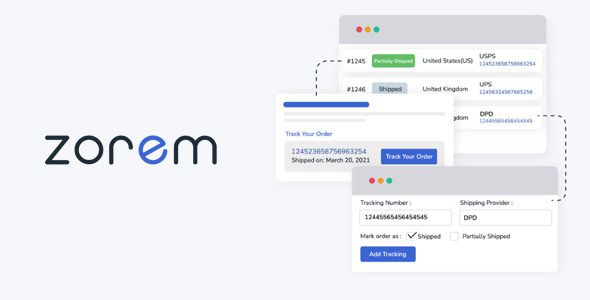
WooCommerce extensions · zorem
Fulfillment manager for WooCommerce: add tracking numbers manually, in bulk, by CSV or FTP/SFTP import, automate Shipped and Partially Shipped statuses, and notify customers with branded tracking emails.
File manifest
Downloads open on Loadpier in a new tab. Add only the files you need to your queue.
Package contents & compatibility
Release history & rollback
This is the current package in the catalog. Check the official product page for release details and compatibility notes.
Official product pageNo earlier package is currently available for this product.
Product overview
Advanced Shipment Tracking Pro is the fulfillment manager for WooCommerce, built by zorem and sold through the official WooCommerce marketplace. It gives store teams one place to add tracking numbers to orders, move those orders through the shipping workflow, and keep customers informed with branded notifications — all without leaving the WordPress admin.
Tracking numbers can be entered by hand on the order edit screen or directly from the WooCommerce orders list, pasted in bulk, imported from a CSV file, pulled automatically from an FTP, FTPS or SFTP folder on a schedule, or pushed in through the plugin’s REST API. Whichever route the number arrives by, the carrier is auto-detected, the order status updates, and the customer is notified the same way. A dedicated fulfillment dashboard lists every order still waiting to ship, so the day’s packing work starts from a single screen rather than a hunt through the orders list.
For warehouses and 3PL partners the scheduled import is the standout: point it at the folder your warehouse writes its dispatch CSV to and tracking flows in on its own, with a connection diagnostic that pinpoints the failed step if the test run has trouble. Duplicate tracking number protection and custom order number compatibility mean the import plays nicely with sequential numbering plugins too.
The plugin ships with a list of over 1,010 carriers, each with its own tracking link format, and the carrier field auto-completes from the tracking number itself. Stores can add custom carriers with their own tracking URL and logo, white-label existing entries, sort the list alphabetically or reorder it by drag and drop, and filter carriers per country so staff only see what is relevant.
Tracking can be attached per order item, which makes split shipments a first-class workflow. Two custom order statuses — Shipped and Partially Shipped — each come with their own customer email template, so a buyer whose order left in two boxes gets accurate messaging for both. Packing lists and picking lists print directly from the fulfillment dashboard.
Three tracking widget designs are available for the Shipped, Partially Shipped and delivered emails, and an email customizer with live preview lets you match the widget to your brand. The same tracking details appear on the My Account order page and the order confirmation page, so “where is my order” questions answer themselves. On the payments side, tracking syncs to PayPal and Stripe, which shortens reserve periods and gives you proof of delivery when a dispute opens.
AST Pro reads tracking from the tools warehouses already use: ShipStation, ShipWorks, Ordoro, Sendcloud, Pirate Ship, ReadyToShip and others push tracking into orders automatically when labels are created. Marketplace builds are covered too — Dokan, WCFM and WC Vendors integrations let each vendor fulfill and track only their own items. AutomateWoo and ShopMagic can trigger follow-up workflows from the custom statuses, PDF invoice plugins can embed tracking in their documents, and the optional TrackShip service adds in-transit and delivered status updates on top of the shipped events the plugin handles natively.
The free Advanced Shipment Tracking plugin on WordPress.org covers basic tracking entry and emails; the Pro version adds the fulfillment dashboard, per-item tracking, CSV and FTP/SFTP import, PayPal sync and priority support. Against the official WooCommerce Shipment Tracking extension, AST Pro offers far more automation and carrier coverage. SaaS alternatives such as AfterShip Tracking and Parcel Panel Order Tracking move tracking data to their own platforms on a subscription, while AST Pro keeps everything inside WooCommerce.
Any store shipping physical goods at a volume where copy-pasting tracking numbers eats staff hours: a few dozen orders a week is already enough for the dashboard and bulk paste to pay for themselves. Multi-vendor marketplaces, stores working with a 3PL, and merchants fighting PayPal holds get the most from it. Very small stores shipping a handful of parcels a month can start with the free version and upgrade later — Pro reads the same tracking data, so nothing is lost in the move.
Release 5.0.9 landed on November 2, 2026, as a maintenance update: it is tested with WordPress 7.1.4 and fixes a 403 error that prevented Fulfill Items from saving tracking on stores running WooCommerce PayPal Payments 4.2.0 or later. The plugin requires WordPress 6.0 or newer, WooCommerce 5.2 or newer and PHP 7.2 or newer, and is declared compatible with WooCommerce 11.2.1.
The package contains the complete premium version of the product — the same code the developer sells. A license key is not included, so automatic updates and vendor support tickets are not available; new versions appear in this catalog as they are released. The archive passed ClamAV and heuristic scans before publication, its SHA-256 checksum (2366c6b65d93…) is recorded in the download manifest, and the build was spot-checked on an isolated test install.
Upload the ZIP through Plugins > Add New > Upload Plugin and activate. A setup wizard runs after activation to walk through the essentials: sync the carrier list, enable the Shipped and Partially Shipped statuses, then add tracking to a test order and confirm the email widget and the My Account display look the way you want. Deactivating the plugin removes nothing; tracking data is deleted only if you explicitly request it during uninstall.
Advanced Shipment Tracking Pro covers the post-purchase gap that most shipping plugins ignore: labels get printed elsewhere, but the tracking number still has to reach the order, the status has to move, and the customer has to hear about it. AST Pro owns all three steps. The fulfillment dashboard, bulk paste, CSV and scheduled FTP/SFTP import handle stores of any volume, per-item tracking with dedicated Shipped and Partially Shipped statuses makes split shipments clean, and the PayPal and Stripe tracking sync is a direct lever against payment holds and disputes. The one structural caveat is scope: in-transit and delivered updates require the separate TrackShip service, so stores wanting end-to-end live tracking should budget for it. Development under zorem is active, with frequent releases tracked against the latest WooCommerce.
Documentation and archive review on November 19, 2026: official product page and changelog were checked against the bundled readme and plugin header; the build was spot-checked on an isolated test install.
The package contains the complete premium version of the product — the same code the developer sells. A license key is not included, so automatic updates and vendor support tickets are not available; new versions appear in this catalog as they are released.
Manually on the order edit screen or the orders list, by bulk paste, by CSV upload, by scheduled FTP/FTPS/SFTP import from a warehouse folder, or programmatically through the plugin's REST API. The carrier is auto-detected in every case.
Yes. Tracking can be attached per order item, and the plugin adds Shipped and Partially Shipped order statuses, each with its own customer email template, so split shipments are communicated accurately.
Yes. Integrations for Dokan, WCFM and WC Vendors let each vendor fulfill orders and add tracking for their own items only, while the store owner keeps the central fulfillment dashboard.
Nothing is removed on deactivation, and the Pro version reads the same tracking data as the free plugin, so existing records stay in place. Data is deleted only if explicitly requested during uninstall.
WordPress 6.0 or newer, WooCommerce 5.2 or newer and PHP 7.2 or newer. Version 5.0.9 is tested up to WordPress 7.1.4 and WooCommerce 11.2.1.