4.1.23
Source date October 30, 2026
Current catalog package
Restricted event API data to event managers and limited speaker and organizer exports to owned records.
Official product page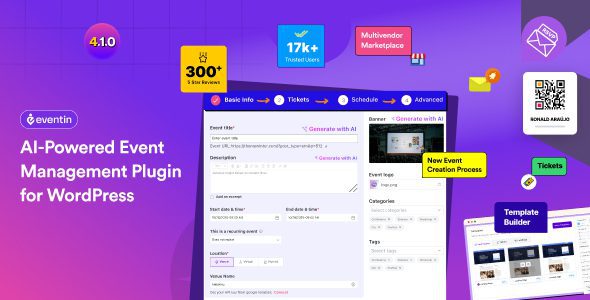
Booking & appointments · ThemeWinter
Manage WordPress events, ticket sales, attendee records and schedules from one dashboard.
File manifest
Downloads open on Loadpier in a new tab. Add only the files you need to your queue.
Package contents & compatibility
Release history & rollback
Restricted event API data to event managers and limited speaker and organizer exports to owned records.
Official product pageNo earlier package is currently available for this product.
Product overview
Eventin Pro adds paid ticketing, registration and attendee tools to the free Eventin plugin for WordPress. An organizer can publish a single workshop or a recurring conference, add schedules and speakers, collect custom registration details, and issue tickets with QR codes. Event pages can also include venue maps, FAQs, countdowns and calendar views.
Other booking packages include Bookly Pro, Amelia and WooCommerce Bookings.
For ticket sales, the plugin supports WooCommerce as well as Stripe and PayPal options. Attendee records, order details and reports stay within the WordPress workflow. Integrations for Zoom, Google Meet, FluentCRM, Groundhogg, Zapier, Pabbly and Twilio are available for sites that need them, but each service still requires its own setup.
Eventin Pro fits conference organizers, training providers, venues and agencies that need registration and payment processing on a WordPress site. It is particularly useful when one event has several sessions or ticket levels, or when staff must check attendees in at the door.
A site that only needs a simple list of dates may not need the full plugin. Before choosing it, map the complete workflow: event creation, checkout, confirmation email, ticket delivery, attendee export and check-in.
Install the free Eventin plugin before Pro. WooCommerce is needed only when you choose its checkout and payment gateway workflow; Eventin also documents direct payment options. The Eventin Bricks Addon 1.0.0 in this bundle is optional and is for sites using Eventin, Eventin Pro and the Bricks theme. Do not install it for a standard setup.
Exact WordPress and PHP compatibility has not been verified for these packages. Test the full registration process on staging. No license key, developer support or automatic updates are included. Packages are spot-checked on an isolated test install, and every archive passes ClamAV and heuristic scans before it is published. External meeting, CRM, SMS and automation services may also have their own fees and data-processing terms.
Version 4.1.23 contains two verified changes. Event API responses now restrict CRM webhooks, meeting links and revenue data to users who can manage the event. The speaker and organizer export was also corrected so users can export only records they own; records belonging to other users are excluded.
These changes affect access to event and personal data. After upgrading, test API access and exports with both an event manager and a lower-privileged account rather than checking only as an administrator.
Back up the database and plugin files. On staging, install and activate Eventin Free, then go to Plugins → Add New → Upload Plugin and upload the Eventin Pro WP Plugin ZIP. Activate Pro and configure one test event. Run a test registration or purchase, verify email and ticket delivery, and test QR check-in. Install the Bricks addon only when that builder workflow is required.
For rollback, disable the Bricks addon first if active, deactivate Pro, and restore a known-good backup or a previously tested package. Recheck event pages, attendee data and payments before reopening registration. Do not remove the free Eventin plugin while Pro depends on it.
Eventin Pro is a practical fit for organizers who need registrations, paid tickets and attendee check-in inside WordPress. It covers single and recurring events, with several payment and integration options. Version 4.1.23 also tightens access to event API data and exports. Budget time for testing checkout, email delivery, user permissions and ticket scanning before taking live registrations.
Eventin Free is required for Pro. WooCommerce is required only if you use its checkout workflow; Eventin also supports direct Stripe and PayPal options.
No. It is an optional package for a Bricks theme setup. The main Eventin Pro plugin handles the standard event workflow without it.
Event API responses now limit sensitive event data to authorized managers, and speaker and organizer exports include only records owned by the exporting user.
The package contains the complete premium version of the product — the same code the developer sells. A license key is not included, so automatic updates and vendor support tickets are not available; new versions appear in this catalog as they are released.
Test the rollback on staging, deactivate optional addons and Pro, then restore a known-good backup or previously tested package. Verify registrations, event pages and payments afterward.