3.2.1
October 29, 2026
Current catalog package
Security enhancements, entry-list export shortcut, partial-entry repeater support and permission fixes.
Official product page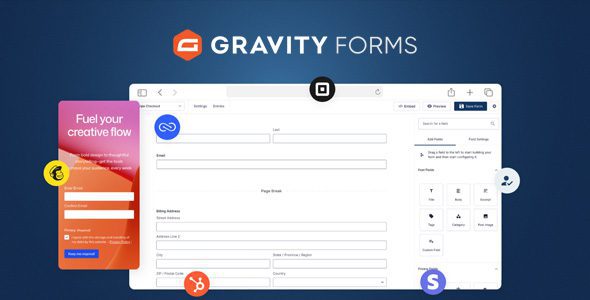
Forms · Rocketgenius
Build flexible WordPress forms with visual editing, conditional workflows and optional integrations.
File manifest
Direct downloads use the current package. Add only the files you need to your queue.
Package contents & compatibility
Release history & rollback
Security enhancements, entry-list export shortcut, partial-entry repeater support and permission fixes.
Official product pageNo earlier package is currently available for this product.
Product overview
Gravity Forms is a WordPress plugin for building contact, registration, payment and data-collection forms through a visual editor. Administrators can review entries in the dashboard and configure notifications, confirmations and exports around each form’s purpose.
The core plugin handles general form building. Separate add-ons extend it for particular services and workflows, allowing a site to enable only the integrations it actually uses.
Gravity Forms suits agencies, site builders and organizations that need more than one basic contact form. Typical uses include lead routing, event registrations, orders, donations, surveys and application forms. A small site with a single straightforward contact page may not need its broader configuration options.
Teams collecting payments or personal information should plan access, retention and notification delivery before publishing. External services can also require their own accounts, credentials and settings; having an add-on archive does not complete that setup.
The source listing contains two downloads. Gravity Forms WP Plugin is the main product, while Gravity Forms Addons is an optional collection of extensions. The add-ons are not required for core form building. Install only the specific extensions your project needs and check their versions separately.
Exact WordPress and PHP compatibility has not been verified for this package. No license key, developer support or automatic updates are included. A malware scan alone cannot prove that a third-party archive is safe. Test on staging and review every enabled integration before accepting live submissions.
The official changelog dates version 3.2.1 to October 28, 2026. It adds security enhancements and fixes inconsistent enforcement of form access settings and form management permissions. A new Export button on the entry list opens the Export Entries page with the current form and entry status already selected.
Other changes include repeater support when saving partial entries through the Partial Entries Add-On, a filter for disabling the multi-page query parameter, and comma encoding for URL-encoded merge tags. Fixes cover scripts in AJAX confirmations and keyboard and screen-reader access to the international phone field’s country selector on later pages. The release also deprecates the gform_progress_steps filter and the plugin’s IS_ADMIN constant.
Back up the site files and database first. On a staging site, upload the main plugin ZIP through Plugins → Add New → Upload Plugin, activate it and submit test entries. Check notifications, confirmations, conditional paths, uploads and any payment or integration workflows before deploying to production. Add optional extensions one at a time.
For rollback, deactivate a problematic add-on first when that isolates the issue. If the core plugin must be reverted, restore a known-good package together with the appropriate backup rather than relying on an older ZIP alone. Code rollback does not reverse database changes, so test the complete restoration process on staging.
Gravity Forms suits sites where submissions feed a business process rather than simply trigger an email. Its editor covers layout and rules, while separate add-ons handle selected integrations. That flexibility creates setup work: permissions, notifications, data handling and external accounts all need review. Version 3.2.1 includes access-control fixes, so a staged upgrade deserves consideration. The supplied package has not been compatibility-tested here.
No. The main plugin provides the core form builder. The add-ons archive contains optional extensions for specific integrations and workflows.
No. It includes no license key, developer support or automatic updates.
The official release notes list security enhancements, access and permission fixes, an entry-list export shortcut, partial-entry repeater support and several accessibility and workflow fixes.
Yes, but use a tested backup and a known-good package. Restoring older code alone may not reverse database changes, so rehearse rollback on staging.
No. Official security enhancements do not validate a redistributed archive, and a malware scan by itself cannot establish safety.