7.2.11
Source date November 22, 2026
Current catalog package
This is the current package in the catalog. Check the official product page for release details and compatibility notes.
Official product page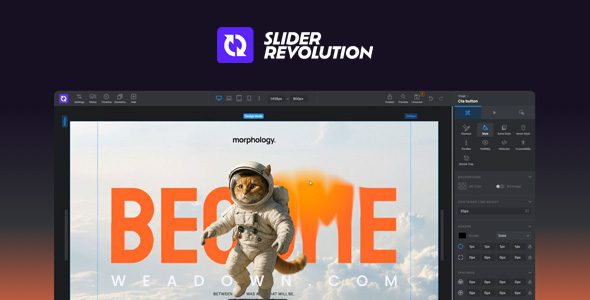
Galleries & sliders · ThemePunch
Create responsive sliders, carousels and animated content modules with a visual WordPress editor.
File manifest
Downloads open on Loadpier in a new tab. Add only the files you need to your queue.
Package contents & compatibility
Release history & rollback
This is the current package in the catalog. Check the official product page for release details and compatibility notes.
Official product pageDownload this earlier package only when you need to reproduce an issue or verify an older workflow.
Download 6.8.1 for rollbackProduct overview
Slider Revolution is a WordPress plugin for building sliders, carousels, hero sections and other layered content in a visual editor. A module can combine images, video, text, buttons and navigation, with separate control over timing, interaction and presentation across screen sizes.
It can handle a straightforward rotating banner, but its broader toolset is better suited to projects that need precise animated layouts. Begin with the required content and breakpoints rather than enabling every visual effect.
This plugin fits designers, site builders and WordPress administrators who need detailed control over promotional sections, portfolios, product presentations or editorial visuals. It is especially relevant when one module must be adapted carefully for several viewport sizes.
A basic slider plugin may be easier to maintain for a simple image rotation. Slider Revolution makes more sense when its layer, timing and interaction controls will actually be used.
The main Slider Revolution WP Plugin archive is the core installation. The Addons Package and Transition Pack are optional additions, not prerequisites for the main plugin. Install only components required by your modules; version 7.2.7 introduced Crystal Glass as an optional addon.
Exact WordPress and PHP compatibility has not been verified for this package. Test the editor, existing modules, front-end loading, touch navigation and caching on a staging copy. Optimize source media and measure pages containing video or complex effects.
No license key, developer support or automatic updates are included. Some connected services, premium assets or addon effects may require registration with the developer. Packages are spot-checked on an isolated test install, and every archive passes ClamAV and heuristic scans before it is published.
The catalog package is now 7.2.11. Older release notes are hidden until this version has been reviewed.
Back up the WordPress files and database, then export important modules. On staging, open Plugins → Add New Plugin → Upload Plugin, select the main plugin ZIP and activate it after installation. Do not upload the optional addon archives unless the site needs them. Check an existing module and a new test module at desktop and mobile widths before repeating the process in production.
For rollback, restore a tested backup of the previous plugin files and database rather than overwriting an active installation. The supplied Slider Revolution 6.8.1 archive is an older major-version package, not a drop-in downgrade path from 7.2.8. Review migration implications and test any restoration with copies of your modules first.
Slider Revolution is useful when a project needs more control over motion and layout than a basic image slider provides. The editor covers responsive content, interactive layers and reusable modules, but that flexibility adds setup work. Start with a small design, check mobile behavior and page weight, and add optional effects only when they serve the page.
No. They are optional packages. Install the main plugin first and add only the components required by your modules.
The package contains the complete premium version of the product — the same code the developer sells. A license key is not included, so automatic updates and vendor support tickets are not available; new versions appear in this catalog as they are released.
The official changelog lists random Alternative 1st Slide behavior, 39 Button Presets and a Quick Edit security fix for Contributor-authored modules.
Do not assume that is safe because it crosses major versions. Restore a tested backup instead and review module migration implications on staging.
It passes ClamAV and heuristic scans before it is published, and the manifest documents its SHA-256 hash, so you can verify that the file you download matches exactly.