3.7.8
Source date August 13, 2026
Current catalog package
File access and Stripe country-field fixes, block address improvements and WooCommerce 10.9 compatibility.
Official product page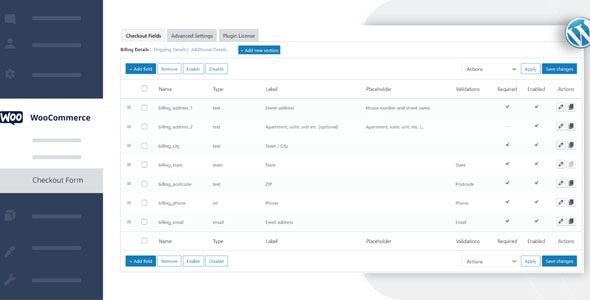
WooCommerce extensions · ThemeHigh
Customize WooCommerce checkout fields with conditional rules, pricing options and reusable sections.
File manifest
Downloads open on Loadpier in a new tab. Add only the files you need to your queue.
Package contents & compatibility
Release history & rollback
File access and Stripe country-field fixes, block address improvements and WooCommerce 10.9 compatibility.
Official product pageNo earlier package is currently available for this product.
Product overview
Checkout Field Editor Pro for WooCommerce changes the information a store collects during checkout. You can edit default fields, add custom ones, rearrange their order and place extra sections around the checkout form. The official feature list includes 24 field types for classic checkout and 13 for Checkout Blocks, so the available controls depend on the checkout implementation your store uses.
The plugin also connects field visibility to cart and customer conditions. A store can request delivery instructions only for relevant products, show a business reference field to selected user roles or repeat attendee fields according to product quantity.
This plugin fits WooCommerce stores that need structured order details, such as delivery preferences, gift messages, attendee information or service options with extra charges. It is especially useful when those details should appear only for certain products or customer groups.
A store with a straightforward checkout may only need the default fields. Before adding questions, decide which ones fulfillment actually uses and remove optional requests that no workflow consumes.
WooCommerce is required. Configure fields in the editor that matches your checkout: the classic shortcode and Checkout Blocks have separate settings and different feature coverage. The developer states that express options such as Apple Pay and Google Pay use a separate form and do not pass the additional custom field data. Test your payment methods rather than assuming every checkout path collects the same information.
Exact WordPress, WooCommerce and PHP compatibility for this package has not been verified. No license key, developer support or automatic updates are included. Before publication the package goes through malware and heuristic scanning, and its SHA-256 hash is documented in the file manifest for verification.
The official July 17, 2026 release notes list a fix for unauthorized file access in the legacy file download, preservation of the hidden country field for Stripe optimized checkout, improvements to default block address field customization and WooCommerce 10.9 compatibility. Test file downloads, address fields and the complete payment flow on staging before updating a live store.
Back up the database and export the existing checkout field configuration. On a staging copy, go to Plugins → Add New → Upload Plugin, upload the ZIP, install it and activate it. Open the field settings for your active checkout type, then test guest and logged-in orders, required validation, conditional fields, fees, order details and customer emails.
For rollback, deactivate the replacement and restore a previously tested package only after checking it on staging. If field settings or order data behave unexpectedly, restore the backup and preserve a copy of the affected configuration for troubleshooting.
Checkout Field Editor Pro for WooCommerce is useful when order fulfillment depends on details that the default checkout does not collect. Its display rules and repeatable sections can keep those requests targeted, but every required field still adds work for the customer. Test the chosen checkout type, price calculations and express payment flow before changing a live store.
Yes. It modifies WooCommerce checkout fields, sections, order details and related customer data.
No. Use the field editor that matches your checkout implementation. Classic checkout supports 24 field types, while the official page currently lists 13 for Checkout Blocks.
The developer states that express checkout options use a separate form and do not pass additional custom field data. Test your complete payment workflow before relying on those fields.
The package contains the complete premium version of the product — the same code the developer sells. A license key is not included, so automatic updates and vendor support tickets are not available; new versions appear in this catalog as they are released.
The official notes list an unauthorized file access fix, Stripe country-field preservation, block address customization improvements and WooCommerce 10.9 compatibility.