3.2.3
Source date September 4, 2026
Current catalog package
This is the current package in the catalog. Check the official product page for release details and compatibility notes.
Official product page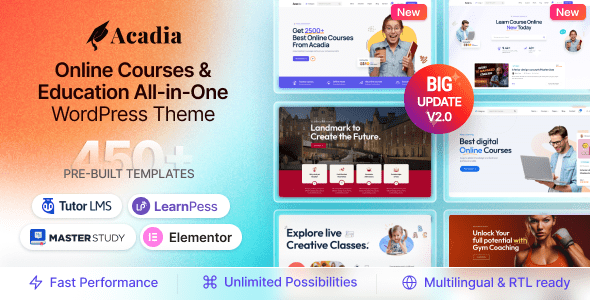
Business themes · Theme_Pure
Build a university or online-course site with Tutor LMS, LearnPress or MasterStudy styling, Elementor demos and WooCommerce course sales.
File manifest
Downloads open on Loadpier in a new tab. Add only the files you need to your queue.
Package contents & compatibility
Release history & rollback
This is the current package in the catalog. Check the official product page for release details and compatibility notes.
Official product pageNo earlier package is currently available for this product.
Product overview
Acadia is an education WordPress theme by Theme_Pure, sold on ThemeForest for universities, online academies, training centers and independent course creators. Instead of treating courses as ordinary pages, it ships course templates, dashboards and demo sites built around dedicated LMS plugins, with Elementor handling visual page building. The release covered here is version 3.2.3, packaged as a 14,034,137-byte ZIP with SHA-256 e1f2380d39bd…; a static ClamAV and heuristic scan reported no threats.
The course layer comes from plugins, not from the theme alone. The vendor documentation points course creation at Tutor LMS, and the official release log records LearnPress compatibility added in version 1.2.0 and full MasterStudy integration in 1.3.0, so all three LMS options are part of the design. On top of whichever one you activate, Acadia provides course archive views with grid and list modes that survive AJAX filtering, course detail layouts, related-course blocks, and student and instructor dashboard styling. Depending on the LMS, instructors get a frontend course builder, a quiz creator with multiple question types, assignments with automated grading, course prerequisites, ratings and wishlists; the vendor notes that the certificate builder is a paid LMS feature rather than a free one. Events run through the Eventin plugin with several event layouts and widgets, while WooCommerce handles payments, commission splits between platform and instructors, and withdrawal settings.
If your project is already committed to a different LMS such as LearnDash, treat Acadia cautiously: its templates target Tutor LMS, LearnPress and MasterStudy, and course content does not migrate automatically between LMS plugins.
Everything visual is built on Elementor. The companion AcadiaCore plugin registers more than 100 custom widgets, and headers, footers and offcanvas panels are assembled with Elementor as well, backed by a template library. The vendor advertises 14 homepage demos and over 68 inner pages, imported either through a one-click importer or manually from the XML, widget and customizer files in the Demo Data folder. Note that the one-click path replaces existing menus and customizer settings, which is why the documentation recommends it only for a fresh site. The theme is translation-ready with a .pot file and RTL support, and the docs suggest Loco Translate or TranslatePress for multilingual work.
For a general multi-purpose build rather than a course platform, compare Enfold or 907. Neither ships Acadia’s course, quiz and instructor layouts, but both avoid the LMS dependency when you do not need it.
Acadia fits a university or college that wants program pages, a course catalog and events inside one design; an independent course creator building a small academy on Tutor LMS or LearnPress; or a training center that needs instructor profiles, quizzes and WooCommerce checkout without commissioning custom templates. It is less convincing for a corporate site that merely lists a few courses, or for a team standardized on a different page builder, since the demos and widgets assume Elementor everywhere.
The official documentation asks for WordPress 6.0.0 or newer, PHP 5.6 or greater with 7.3+ recommended, MySQL 5.6 or MariaDB 10.0 or newer, and a WordPress memory limit of at least 128 MB, with higher PHP limits — such as a 512 MB memory limit and long execution times — suggested for smooth demo imports. The vendor’s docs page identifies the item version as 3.2.3, yet its public change log section stops at 3.2.1. Because no dated official entry for exactly 3.2.3 could be confirmed, this card makes no claims about what the release changed.
This catalog package includes no license key, and no developer support or automatic updates come with it. A clean static scan is a useful signal but not proof of safety: scanners can miss obfuscated or conditionally triggered payloads. Verify the SHA-256 above against your own copy before using it anywhere.
Back up the database and files first and keep that backup untouched. Extract the outer archive locally before uploading anything: sending the whole package to WordPress triggers the well-known missing stylesheet error, because the installable theme is the nested acadia.zip. The outer archive also holds acadia-child.zip, a plugins folder, demo data, licensing terms and documentation.
On an isolated staging site, upload acadia.zip through Appearance → Themes → Add New → Upload Theme, then follow the dashboard prompt to add companion plugins — AcadiaCore, your chosen LMS, Elementor, Eventin and WooCommerce — but only the ones your plan actually needs. Import demo content last, on staging only, and delete sample courses, instructors and events before launch. Re-save permalinks under Settings → Permalinks after import; the vendor’s troubleshooting notes blame stale permalinks for site-wide 404s. Put any CSS or template overrides in acadia-child.zip so parent updates do not erase them, and whenever the theme is replaced, update the bundled plugins alongside it.
Exercise the full learning journey on staging: enrollment, lesson access, quiz attempts, certificates where enabled, event registration, checkout, instructor payouts and mobile navigation. For rollback, restore the theme and the LMS/plugin set together from the backup; swapping only the theme leaves plugin tables and customizer changes behind. Keep the rollback copy until the staging pass is genuinely complete.
Acadia makes sense when the whole project is education: its course archives, dashboards and event layouts assume Tutor LMS, LearnPress or MasterStudy underneath, and Elementor drives everything visual. That bundling is the trade-off — the demos look complete, but enrollment, quizzes and payments live in the plugins, so you inherit their update rhythm and settings too. Since no dated public changelog entry for 3.2.3 could be confirmed, treat this release as an unverified delta and validate the full stack on staging before committing.
Documentation review on November 12, 2026: official product information and marketplace listing were checked; no installation or runtime test was performed.
The vendor materials cover Tutor LMS, LearnPress and MasterStudy. Course features such as quizzes, assignments and dashboards come from those plugins, with Acadia supplying the layouts and styling.
Upload the nested acadia.zip from inside the package. The outer archive also contains acadia-child.zip, a plugins folder, demo data, licensing terms and documentation.
The package contains the complete premium version of the product — the same code the developer sells. A license key is not included, so automatic updates and vendor support tickets are not available; new versions appear in this catalog as they are released.
The vendor documentation lists WordPress 6.0.0 or newer, PHP 5.6 or greater (7.3+ recommended), MySQL 5.6 or MariaDB 10.0 or newer, and at least 128 MB of WordPress memory.
It passes ClamAV and heuristic scans before it is published, and the manifest documents its SHA-256 hash, so you can verify that the file you download matches exactly.
Only that the vendor documentation identifies the item as version 3.2.3. The public change log stops at 3.2.1, so no dated entry for 3.2.3 is asserted here.