30.9.1
Source date October 17, 2026
Current catalog package
Companion updates, native Smooth Scroll and a fix for PHP sessions blocking REST API and Site Health loopbacks.
Official product page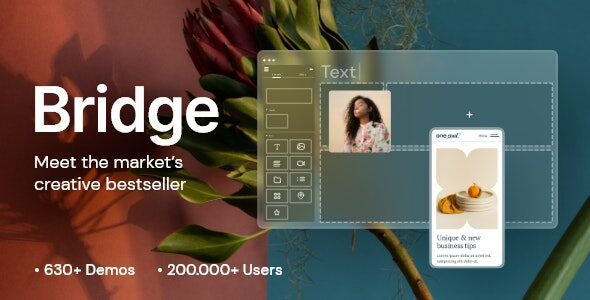
Business themes · Qode Interactive
Build business, portfolio, blog or store sites with a large multipurpose theme and several builders.
File manifest
Downloads open on Loadpier in a new tab. Add only the files you need to your queue.
Package contents & compatibility
Release history & rollback
Companion updates, native Smooth Scroll and a fix for PHP sessions blocking REST API and Site Health loopbacks.
Official product pageNo earlier package is currently available for this product.
Product overview
Bridge is a multipurpose WordPress theme for business sites, portfolios, blogs and WooCommerce stores. It combines a large demo library with layout controls, custom post types and theme-specific modules. Elementor, WPBakery and Gutenberg are supported, although the exact requirements depend on the selected demo.
Compare other large theme ecosystems with Salient, Impreza and Essentials.
Rather than importing several designs, pick the closest match and remove content that does not belong to the project. This makes the site easier to maintain and reduces the number of companion plugins needed.
Bridge suits teams that want a polished starting point and are comfortable trimming a large theme to their actual needs. It works well for agencies building varied sites and for stores that want portfolio and commerce features together.
A small brochure site may be better served by a lighter theme. The demo library and bundled modules are useful only when they solve a real requirement, not as a checklist to enable everything.
Exact WordPress, PHP, builder and companion-plugin compatibility has not been verified for this package. Check the requirements of the selected demo on staging, including any required plugins and external services. A license key, developer support and automatic updates are not included.
Do not treat a malware scan as proof that a third-party archive is safe or unmodified. Back up the existing site, use a child theme for customizations and test the full import before changing production.
The official October 17, 2026 changelog lists Bridge Core 3.3.5.1, Qode Real Estate 1.1.9, Qode Tours 3.1.3.5 and LayerSlider 8.4.1. The release replaces outdated TweenLite and ScrollToPlugin code in Smooth Scroll with a native implementation.
It also fixes PHP sessions starting on every request. That behavior could block REST API and Site Health loopbacks as well as concurrent page loads. This is the most operationally significant fix in the release and should be checked during staging.
Back up the site and database first. In WordPress, open Appearance → Themes → Add New → Upload Theme, upload Bridge and activate it. Follow the selected demo’s requirements instead of installing every available companion plugin. If you already have content, import the demo only on staging and remove unused pages, menus and sample entries afterwards.
Test navigation, portfolio and blog templates, forms, search, mobile layouts and the complete WooCommerce flow where applicable. For rollback, restore the previous theme and companion plugins from a known backup. Replacing only the theme may not reverse plugin or database changes.
Bridge suits projects that want many starting designs and theme-level features rather than a minimal base. Its demo library is broad, but importing everything can create unnecessary content and maintenance work. Choose one demo and only the required plugins. Version 30.9.1 also fixes a PHP session issue that could block REST API and Site Health loopbacks, so this release is worth testing before using an older package.
No single builder is required for every demo. Bridge supports Elementor, WPBakery and Gutenberg, but the selected demo determines which one to use.
No. Choose one demo and only the plugins it needs. This avoids unnecessary content and maintenance.
The release updates several companion packages, replaces old Smooth Scroll libraries and fixes PHP sessions that could block REST API and Site Health loopbacks.
No. A license key, developer support and automatic update service are not included.
Restore a tested backup of the previous theme and relevant companion plugins. A theme-only rollback may leave plugin and database changes behind.
The package contains the complete premium version of the product — the same code the developer sells. A license key is not included, so automatic updates and vendor support tickets are not available; new versions appear in this catalog as they are released.