9.5
Source date October 23, 2026
Current catalog package
Post Markers, expanded Cookie Consent, language packs, performance and accessibility improvements.
Official product page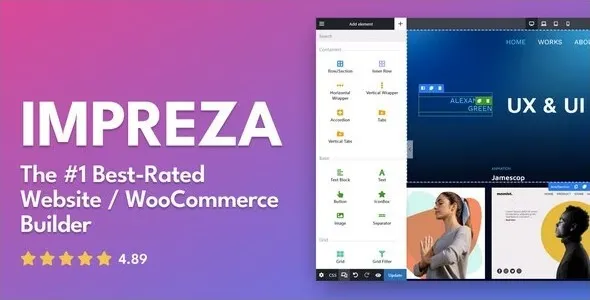
Business themes · UpSolution
Build WordPress sites and WooCommerce stores with visual design tools and reusable layouts.
File manifest
Downloads open on Loadpier in a new tab. Add only the files you need to your queue.
Package contents & compatibility
Release history & rollback
Post Markers, expanded Cookie Consent, language packs, performance and accessibility improvements.
Official product pageNo earlier package is currently available for this product.
Product overview
Impreza is a WordPress theme for building business sites, portfolios, directories and WooCommerce stores through visual design tools. Its Live Builder, reusable grid layouts and ready-made websites provide a starting point for pages and shared templates. You can adapt global styling and layouts instead of constructing every screen separately.
For alternative multipurpose frameworks, see Bridge, Enfold and Avada.
This listing covers the main Impreza 9.5 theme package. It is not a collection of required addons. Optional integrations should be enabled only when the project uses them, and an existing site needs a migration check before the theme replaces its current templates.
Impreza fits agencies, freelancers and site owners managing design-heavy WordPress projects. It is especially useful when a site needs consistent templates across many pages, a product catalog or a map of posts such as properties or venues.
A small site with fixed layouts may not need this range of controls. Sites already built around another theme should review custom templates, shortcodes, menus and shop designs before switching.
Exact WordPress and PHP compatibility has not been verified for this package. No license key, developer support or automatic updates are included. Any developer account services are separate from the theme archive.
Before publication the package goes through malware and heuristic scanning, and its SHA-256 hash is documented in the file manifest for verification. After a demo import, remove unwanted pages and media and review every global template before publishing.
The official changelog dates version 9.5 to October 21, 2026. Post Markers for the Map element can display selected posts using coordinates from an ACF Google Map or Text field. Markers work with list filtering and search, nearby markers can be clustered, and clicking one can open a post card built with the Grid Layout Builder. The ACF field is needed for this specific coordinate workflow, not for every Impreza installation.
New Cookie Consent modes let visitors accept or reject cookies. Supported third-party content and known tracking code can wait for consent, while reCAPTCHA loading and privacy-oriented YouTube and Vimeo behavior also receive changes.
The release introduces independently updated language packs, with 37 languages listed in the official notes. Performance work includes Google Fonts handling, font preloading and layout-shift fixes. Accessibility changes improve element labels and enable the skip-to-content button by default. Additional updates cover the MCP server, Row and Map elements, wrappers, Leaflet 1.9.4 and numerous fixes.
Back up the site files and database, then use a staging copy. In WordPress, open Appearance → Themes → Add New → Upload Theme, upload the Impreza 9.5 ZIP and activate it. Review menus, headers, grid layouts, forms and responsive pages. If used, test WooCommerce templates, map coordinates, marker popups and consent behavior with real visitor interactions.
For rollback, activate a known-good theme and restore the previous Impreza files from a verified backup. Restore the database only when necessary and after checking what newer content could be lost. Retest templates and integrations before returning the site to production.
Impreza suits designers and site owners who want visual editing, shared layouts and store design tools in one theme. Version 9.5 adds useful directory and consent controls, but those features need configuration rather than simple activation. Test imported layouts, maps, cookies and any shop templates on staging before changing a live site.
No. WooCommerce is relevant when building a store or product catalog; it is not required for every site using the theme.
Official notes list Post Markers, expanded Cookie Consent modes, language packs, performance and accessibility improvements, builder updates and multiple fixes.
The package contains the complete premium version of the product — the same code the developer sells. A license key is not included, so automatic updates and vendor support tickets are not available; new versions appear in this catalog as they are released.
It passes ClamAV and heuristic scans before it is published, and the manifest documents its SHA-256 hash, so you can verify that the file you download matches exactly.
Activate a known-good theme and restore the previous theme files from a verified backup. Use a database restore only when required, then retest layouts and integrations.