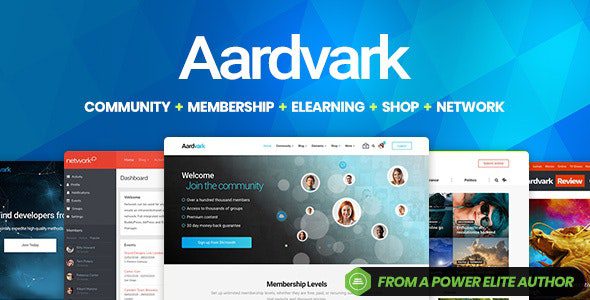
Aardvark is a community-focused WordPress theme by GhostPool, distributed through ThemeForest and built around BuddyPress. It targets sites that need member profiles, activity streams, groups and restricted content rather than a plain blog or brochure layout, and it extends that core with membership access control, front-end post submission, online course support and shop templates.
Community and membership feature set
The theme provides custom BuddyPress options and dedicated page designs, but BuddyPress itself remains a separate free plugin that supplies member profiles, activity streams, user groups and private messaging. Aardvark styles and extends that foundation; it does not replace it. The official changelog also shows long-standing work with Youzify for richer profile and wall layouts, bbPress for forums, WooCommerce for store pages and Sensei for courses, so plan the plugin stack before choosing a demo.
On the membership side, the theme includes frontend restriction options for redirecting guests and locking content behind registration, plus a login popup and member-only page designs. For a full paid-membership operation with recurring billing, coupons and proration, pair it with a dedicated engine such as MemberPress Pro or Paid Memberships Pro, and verify that restriction rules do not conflict with the theme’s own redirects. Front-end post submission lets members submit content without admin access, which suits user-driven communities but demands careful permission and moderation settings.
Page builder and demo workflow
Aardvark integrates WPBakery Page Builder as its primary visual editor and adds its own collection of builder elements on top. The changelog also records Elementor Pro theme builder support, so Elementor templates can take over theme areas where that workflow is preferred. More than two hundred theme options control colors, headers, menus and layout behavior without custom code.
The demo library is imported with a one-click process from the theme setup screen and covers distinct use cases: a general community, a dating site, a courses site, a members directory, a news magazine, a store, hosting-style landing pages and fullscreen video layouts. Bundled extras include WPBakery, LayerSlider, Ultimate Reviewer and a sticky sidebar component. Import demos only on staging: sample content, demo plugin choices and imported options will overwrite parts of an existing configuration. If you mainly need a general-purpose multipurpose theme rather than a community platform, compare against something like BeTheme before committing to the BuddyPress stack.
Who it suits
Aardvark fits membership communities, niche social networks, dating sites, course platforms with member areas and editorial sites that want reader accounts and front-end submissions. It is a weaker fit for a simple blog, a pure WooCommerce shop or any project that does not plan to run BuddyPress, because much of the design work assumes community pages exist. Expect to spend time aligning plugin versions; the theme, BuddyPress, Youzify and the bundled builder all move on separate release schedules. Budget time for moderation tooling as well: open registration and guest-adjacent posting features need spam controls, role limits and clear rules before real users arrive, and those policies live outside the theme itself.
Requirements and release scope
GhostPool’s documentation lists WordPress 4.9 or higher and PHP 5.6 or higher, with PHP 7.2 recommended, plus a 256MB PHP memory limit and 64MB upload and post sizes because the theme package is around 50MB. Those minimums are vendor documentation values, not guarantees for current hosting stacks, so confirm them against your actual WordPress and PHP versions on staging. The catalog package is a 46,196,510-byte ZIP with SHA-256 b210d032bf44…; static ClamAV and heuristic scans were clean. Every package passes ClamAV and heuristic checks before publication, and the file manifest lists the SHA-256 hash so you can verify the archive byte for byte.
What changed in Aardvark 4.76
The official GhostPool changelog dates version 4.76 to September 28, 2026. It is a security release: the vendor closed a vulnerability in the front-end post submission form that could let logged-out visitors modify existing posts, and urges all users to update both the theme and the companion Aardvark Plugin immediately. The vendor also advises reviewing post revision history for unexpected edits, particularly revisions with no author. Sites running front-end submission should treat this release as urgent rather than routine.
Installation and rollback
Back up the database, uploads and current theme before touching anything. On an isolated staging site, upload the theme ZIP through Appearance > Themes > Add New > Upload Theme; if the upload fails due to size limits, extract locally and copy the aardvark folder to /wp-content/themes/ over FTP instead. After activation, the setup screen walks through required and recommended plugins and demo import. Install BuddyPress before importing a community demo so the imported pages have their plugin targets available.
For a community site already in production, update the theme and the Aardvark Plugin together, then audit post revisions as the vendor recommends. For rollback, restore the previous theme, the previous plugin versions and the database as one unit; rolling back only the theme can leave option entries and plugin data behind. Keep a complete rollback copy until registration, login redirects, front-end submission, membership restrictions, activity feeds and checkout all pass on staging. This release was reviewed from documentation and the official listing only; no installation or runtime test was performed.
Documentation review on November 12, 2026: official product information and marketplace listing were checked; no installation or runtime test was performed.