3.2.11
Source date November 22, 2026
Galleries & sliders · ThemePunch
Essential Grid
Build responsive WordPress galleries and content grids with customizable layouts, media sources and skins.
Catalog package3.2.11Source date November 22, 2026Download 3.2.11
File manifest
Choose packages
PackageVersionFileAction
Downloads open on Loadpier in a new tab. Add only the files you need to your queue.
Package contents & compatibility
What to install and what depends on it
PackageInstall orderDependencyScan
Essential Grid1 · install firstCheck product requirementsPassed
File checksClamAV + heuristic
WordPress / PHP compatibilityUnknown — not verified
SHA-256Checks download integrity, not security
Release history & rollback
Current by default, previous when needed
No earlier package is currently available for this product.
Product overview
What Essential Grid does
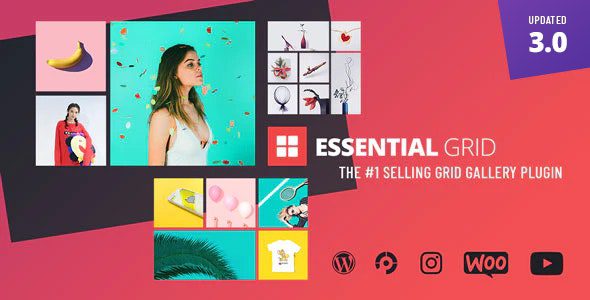
Essential Grid builds WordPress galleries and content-driven grids from a single visual interface. You can present a portfolio, video collection, blog index or product selection without designing each card separately. A grid can use even rows, masonry placement or a cobblestone arrangement, depending on how consistently your source images are sized.
The plugin also separates content selection from appearance. Choose the source first, then adjust columns, spacing, pagination and item design. This workflow makes it easier to change the look of an existing gallery without rebuilding its underlying query or replacing every entry.
Key features
- Flexible layouts: create boxed, full-width or full-screen grids with adjustable rows, columns and gaps. Even, masonry and cobblestone arrangements cover different portfolio and editorial needs.
- Multiple content sources: use posts, pages, custom post types, WooCommerce products or galleries. Media options include images, YouTube and Vimeo videos, self-hosted HTML5 video and iframe embeds.
- Design controls: start with a template, then edit skins, item animations, preloaders and transition timing. Skin import and export tools help move design work between sites.
- Navigation options: pagination and deep linking can give visitors direct access to particular grid pages or filtered views.
Who it is for
Essential Grid suits photographers, designers, agencies and publishers who need a repeatable gallery design across many entries. It is also useful for WooCommerce catalogs that need a custom product grid rather than the default store layout.
A simple blog with one occasional image gallery may not need this much configuration. The plugin makes more sense when you will reuse grids, maintain several templates or regularly add portfolio items.
Things to know
Exact WordPress and PHP compatibility has not been verified for this package. Check image loading, filters, pagination and embedded media at narrow screen widths. Large media libraries can also affect page speed, so review the final page rather than judging the editor preview alone.
No license key, developer support or automatic updates are included. The archive is scanned with ClamAV and heuristic checks before it reaches the catalog, and the published checksum lets you confirm that the file you download is exactly the file that was checked. Keep the original download, inspect changes to your site and maintain a restorable backup.
What changed in Essential Grid 3.2.11
Version 3.2.11 is the release identified in the supplied package. Detailed release notes for this exact version are not verified, so no specific fixes, additions or compatibility changes can be confirmed here. Consult the developer’s official changelog before treating this release as a fix for a particular issue.
Installation and rollback
Back up the site files and database first. In WordPress admin, open Plugins → Add New → Upload Plugin, select the main plugin ZIP and choose Install Now. Activate it, then create a small test grid before importing templates or rebuilding an existing gallery. Verify the source selection, skin, responsive behavior and public page output.
For rollback, deactivate Essential Grid and restore the previous plugin version only after testing that package on staging. If the update altered grid data, restore the matching database backup as well. Keep a copy of exported grids and skins, and check existing shortcodes or embedded grids after reverting.
Our take
Essential Grid is useful when a site needs more layout control than a basic WordPress gallery block provides. It can combine editorial content, products and media in one consistent design, while the skin editor handles presentation separately. Plan the source and layout before adjusting animations, and check every grid on mobile as well as desktop.
Good
- Even, masonry and cobblestone layout options
- Grids can use posts, pages, products or media
- Visual skin editor with import and export tools
- Templates, pagination and responsive layout controls
Watch out
- Detailed release notes for version 3.2.11 are not verified
- Exact WordPress and PHP compatibility has not been verified
- No license key, developer support or automatic updates included
- Complex grids still need performance and mobile testing
Requirements and compatibility
- Exact WordPress and PHP requirements have not been verified for this package.
- Test the main package and each addon on a staging site before updating production.
- A license key is not included. Developer support, automatic updates and cloud services are separate offerings from the original developer.
How to install Essential Grid
- Download the main package on this page. Keep addons for later unless you need their features.
- In WordPress, open Plugins → Add New → Upload Plugin, upload the ZIP and activate it after installation.
- Install additional packages only after checking that the main product works with your site.
- Test your critical workflow on a staging site before updating production.
Essential Grid FAQ
Can Essential Grid display blog posts and WooCommerce products?
Yes. It supports post-based content and WooCommerce product grids, as well as image and video galleries.
Is WooCommerce required for every grid?
No. WooCommerce is relevant when building product grids; other grids can use supported post or media sources.
Are detailed notes available for Essential Grid 3.2.11?
No. The exact version is identified in the package, but detailed official release notes have not been verified.
Is this the full Pro version of the product, and is a license key included?
The package contains the complete premium version of the product — the same code the developer sells. A license key is not included, so automatic updates and vendor support tickets are not available; new versions appear in this catalog as they are released.
What checks does this package go through?
The archive passes malware and heuristic scanning before publication, packages are spot-checked on an isolated test install, and the file manifest lists the checksum so you can confirm the file yourself.