3.0.7
Source date October 30, 2026
Current catalog package
Official changelog confirms the release; detailed release notes not verified.
Official product page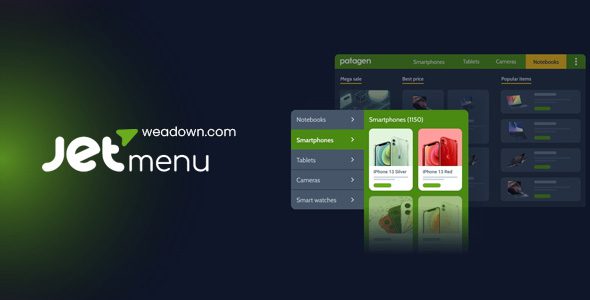
Elementor add-ons · Crocoblock
Build rich mega menus and responsive navigation with Elementor or Gutenberg.
File manifest
Downloads open on Loadpier in a new tab. Add only the files you need to your queue.
Package contents & compatibility
Release history & rollback
Official changelog confirms the release; detailed release notes not verified.
Official product pageNo earlier package is currently available for this product.
Product overview
JetMenu adds visual mega menu tools to WordPress sites built with Elementor or the Gutenberg block editor. A navigation panel can contain columns, product grids, banners, media and other editor content, giving visitors direct routes to important categories or promotions. The plugin also covers dropdowns, nested submenus, anchor links and mobile navigation.
Its controls sit within the normal menu-building workflow. After enabling JetMenu for a menu location, you can configure individual items, add icons or badges and build mega content in the chosen editor.
JetMenu suits content-heavy publications, directories, stores and business sites whose visitors benefit from seeing several navigation choices at once. It is particularly useful when a menu needs category links, featured products or promotional media rather than a long list of plain text.
A small brochure site with only a few pages may not need this extra layer. Likewise, a highly customized headless navigation system would require a different implementation approach.
Exact WordPress and PHP compatibility has not been verified for this package. No license key, developer support or automatic updates are included. Test the plugin with the intended editor, active theme and other navigation-related plugins on staging before changing a production menu.
Every package passes ClamAV and heuristic checks before publication, and the file manifest lists the SHA-256 hash so you can verify the archive byte for byte. Keep a backup of both site files and the database, and record existing menu locations before installation.
Complex mega panels can also affect usability. Check keyboard access, touch interaction, submenu triggers, content overflow and loading behavior on actual mobile devices rather than relying only on a desktop preview.
The official Crocoblock changelog lists JetMenu 3.0.7 with a release date of October 29, 2026. Detailed release notes for this exact version were not verified, so no specific fixes, feature additions or compatibility changes are claimed here. Review the official release information and test the complete navigation workflow before deploying this version.
Back up the website and work on staging first. In WordPress, open Plugins → Add New → Upload Plugin, upload the JetMenu ZIP, install it and activate it. Then open Appearance → Menus, select the menu and enable JetMenu for the required location. For each top-level item that needs a panel, open its settings, enable mega content and choose Elementor or Block Editor as the content type. Build the panel, save the menu and connect the Mega Menu widget to the intended header layout when required.
Check every menu location, desktop and mobile rendering, links, badges and nested items. For rollback, deactivate the replacement, restore the previously verified plugin files and confirm the original menu assignments. Restore the database backup only if necessary, since doing so can remove newer site content.
JetMenu is a focused choice for WordPress sites that need more than plain navigation links. It lets editors place structured content inside mega panels while keeping menu item controls in the WordPress menu screen. The main setup cost is design and testing: complex panels still need careful mobile behavior, theme integration and rollback preparation.
Yes. Crocoblock states that JetMenu works with Elementor and the Gutenberg block editor, and mega content can use either editor.
Yes. Panels can include editor-built layouts with items such as product grids, banners, media and other widget-based content.
The package contains the complete premium version of the product — the same code the developer sells. A license key is not included, so automatic updates and vendor support tickets are not available; new versions appear in this catalog as they are released.
The official changelog confirms the version and its October 29, 2026 release date. Detailed release notes for this exact version were not verified.
It passes ClamAV and heuristic scans before it is published, and the manifest documents its SHA-256 hash, so you can verify that the file you download matches exactly.