10.9.9
Source date October 24, 2026
Current catalog package
Final ThemeForest edition; future updates moved to the developer's platform.
Official product page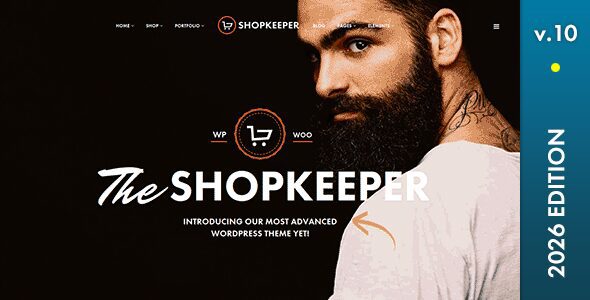
Online store · Get Bowtied
Build a WooCommerce store with adjustable shop layouts, product pages and header options.
File manifest
Downloads open on Loadpier in a new tab. Add only the files you need to your queue.
Package contents & compatibility
Release history & rollback
Final ThemeForest edition; future updates moved to the developer's platform.
Official product pageNo earlier package is currently available for this product.
Product overview
Shopkeeper is a WordPress theme built around WooCommerce catalogs and storefronts. It gives site owners settings for shop archives, individual products, headers, blogs and portfolio pages, making it useful when the default presentation of a store needs adjustment.
The theme is best evaluated through the complete buying path. Check category grids, product images, variations, cart and checkout with your actual products rather than judging a demo homepage alone.
Shopkeeper suits retailers, small brands and site builders running WooCommerce who want theme-level control over the storefront. It can also support a content-led site through its blog and portfolio options. A store already built around another theme should plan a visual review before switching, especially where custom templates or CSS are involved.
WooCommerce must be installed and configured for the store features to work. Exact WordPress and PHP compatibility for this package has not been verified. Version 10.9.9 is the final ThemeForest edition; later releases and support moved to the developer’s own licensing platform.
No license key, developer support or automatic updates are included. Test upgrades and rollbacks on staging, and keep independent backups. The archive is scanned with ClamAV and heuristic checks before it reaches the catalog, and the published checksum lets you confirm that the file you download is exactly the file that was checked.
The official October 1, 2026 release note identifies 10.9.9 as the final Shopkeeper version published on ThemeForest. It marks the end of ThemeForest updates rather than introducing a documented storefront feature set. Future updates, security fixes and support require the developer’s separate licensing platform.
Back up the database, theme files and uploads before installation. In WordPress, open Appearance → Themes → Add New → Upload Theme, select the Shopkeeper ZIP, install it and activate it on a staging site first. Configure WooCommerce separately if it is not already running. Then review menus, widgets, homepage settings, product archives, mobile layouts and checkout.
Preserve any child theme and record customizations before switching versions. For rollback, restore the known-good backup or reinstall the previous verified theme package through Appearance → Themes, then repeat the storefront checks. Test the complete purchase flow before changing a production store.
Shopkeeper is a sensible fit for WooCommerce stores that need control over catalog presentation without building a theme from scratch. Its documented options cover product archives, product pages, headers, blog layouts and portfolio content. Version 10.9.9 is the final ThemeForest edition, so future update and support arrangements need separate review. Back up the site and check the checkout, mobile navigation and any child-theme customizations on staging before updating a live store.
WooCommerce is required for Shopkeeper’s storefront, product, cart and checkout functionality. Install and configure it before evaluating those features.
It is the final ThemeForest edition. Future updates and support moved to the developer's separate licensing platform.
The package contains the complete premium version of the product — the same code the developer sells. A license key is not included, so automatic updates and vendor support tickets are not available; new versions appear in this catalog as they are released.
In WordPress, go to Appearance → Themes → Add New → Upload Theme, upload the ZIP and activate it after testing on staging.
The archive passes malware and heuristic scanning before publication, packages are spot-checked on an isolated test install, and the file manifest lists the checksum so you can confirm the file yourself.