3.5.1.40
Source date November 21, 2026
Current catalog package
Added a Divi 5 module and Flickr image size variables; fixed hidden-slide navigation trapping and slide creation with emojis in media metadata.
Official product page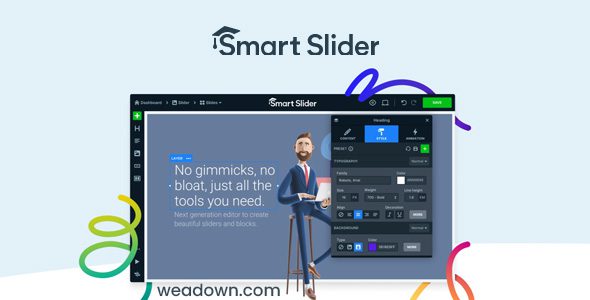
Galleries & sliders · Nextend
Build responsive WordPress sliders with visual editing, dynamic content and animation controls.
File manifest
Downloads open on Loadpier in a new tab. Add only the files you need to your queue.
Package contents & compatibility
Release history & rollback
Added a Divi 5 module and Flickr image size variables; fixed hidden-slide navigation trapping and slide creation with emojis in media metadata.
Official product pageNo earlier package is currently available for this product.
Product overview
Smart Slider 3 Pro adds a visual editor for building WordPress sliders, carousels, blocks and pages. You can place text, images, buttons and video on slides, adjust responsive behavior, and publish the result with a shortcode or a supported page builder. Pro also expands dynamic slide sources, animation controls and template choices.
Use it when a design needs more than a basic image rotator. Product showcases, editorial highlights and campaign sections can combine layered content with timed motion. Start with a small set of slides and check their loading cost, especially when using background video, large images or several animations.
This plugin fits WordPress designers, agencies and store owners who need custom hero sections, product carousels or post-based sliders. It is particularly useful when content must be updated dynamically or when a page builder needs a dedicated slide editor.
A site that only displays a few static images may not need the Pro feature set. Complex animations also require design restraint and testing on real mobile devices.
The supplied main package is Smart Slider 3 Pro WP Plugin. Smart Slider Templates is a separate optional 122.3 MB ZIP. Its SHA-256 and ZIP integrity were verified on November 7, 2026. Install it only if you need the additional template library.
Exact WordPress and PHP compatibility has not been verified for this package. No license key, developer support or automatic updates are included. Before publication the package goes through malware and heuristic scanning, and its SHA-256 hash is documented in the file manifest for verification. Use a staging site and keep a complete backup before installation.
The official release notes list a new Divi 5 module and new Flickr image size variables. A hidden slide could previously trap scroll, touch or keyboard navigation; this release fixes that behavior. Slide creation also no longer breaks when media titles, alt text or descriptions contain emojis.
Back up the site and export important sliders first. In WordPress, open Plugins → Add New → Upload Plugin, upload only the main Smart Slider 3 Pro ZIP, and activate it. Create a test slider, publish it on a private page, and check navigation, responsive layouts and page-builder output.
The official changelog warns that updates are not designed to be backwards compatible and that downgrading can cause errors. For rollback, restore a complete pre-update backup on staging rather than installing an older plugin ZIP over the current version.
Smart Slider 3 Pro suits sites that need layered, responsive presentations rather than a simple image rotator. The editor, dynamic sources and animation timeline give designers useful control, but media-heavy slides still need performance checks. Version 3.5.1.40 adds Divi 5 support and fixes navigation and media-metadata issues. Test your own theme, builder and mobile layouts before deploying it.
No. Install the main plugin first. The separate 122.3 MB templates ZIP is optional; its SHA-256 and ZIP integrity were verified on November 7, 2026.
The package contains the complete premium version of the product — the same code the developer sells. A license key is not included, so automatic updates and vendor support tickets are not available; new versions appear in this catalog as they are released.
No. Exact WordPress and PHP compatibility has not been verified for this package, so test it on staging first.
It adds a Divi 5 module and Flickr image size variables, fixes hidden-slide navigation trapping, and allows emojis in media metadata without breaking slide creation.
The developer warns that downgrading can cause errors. Restore a complete pre-update backup on staging instead of overwriting the current plugin with an older release.