Codenulled
Duplicator Pro logo

Backup & migration · Duplicator

Duplicator Pro

Create WordPress backups, schedule copies, migrate sites and manage recovery points.

Catalog package5.1.1Source date November 17, 2026Download 5.1.1
Release history & rollback5.1.0

File manifest

Choose packages

1 available
PackageVersionFileAction
Duplicator ProMain package
5.1.1
8.2 MB529cc3c2b672…
Download

Downloads open on Loadpier in a new tab. Add only the files you need to your queue.

Package contents & compatibility

What to install and what depends on it

PackageInstall orderDependencyScan
Duplicator Pro1 · install firstCheck product requirementsPassed
File checksClamAV + heuristic
WordPress / PHP compatibilityUnknown — not verified
SHA-256Checks download integrity, not security

Release history & rollback

Current by default, previous when needed

5.1.1 Source date November 17, 2026

Current catalog package

Duplicator Pro 5.1.1 closes an installer-password bypass, improves migration search-and-replace handling of serialized and JSON data, and prevents interrupted Duplicator Cloud uploads from blocking incremental backups. Temporary cloud network errors are now retried.

Official product page

No earlier package is currently available for this product.

Product overview

What Duplicator Pro does

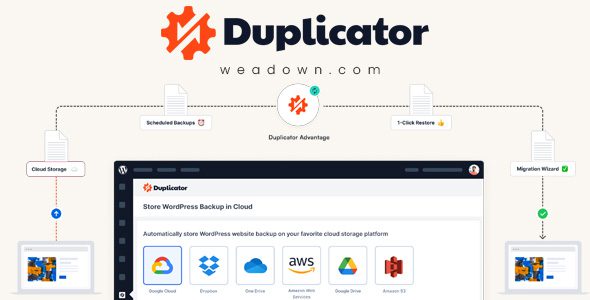
Duplicator Pro handles WordPress backups, site migrations and recovery from one dashboard. It packages site files and the database, supports scheduled copies and provides an installer for moving a site to another server or domain. The plugin can also create recovery points for rolling a site back after a problematic change.

A backup strategy should include more than creating an archive. Keep at least one copy away from the web server, restrict access to backup files and test restoration on a separate environment.

Key features

  • Complete backups: package WordPress files and database tables together, with on-demand and scheduled workflows.
  • Remote storage: send copies to supported services such as Google Drive, Dropbox, Microsoft OneDrive, Amazon S3 or FTP/SFTP storage.
  • Migrations and cloning: use the installer to move a site, clone an environment or replace URLs during deployment.
  • Recovery options: create recovery points and protect supported archives with encryption.
  • Incremental backups: version 5.1.0 introduced storage for changed files and database tables after a full baseline when using Duplicator Cloud.

Who it is for

Duplicator Pro suits site owners and agencies that maintain several WordPress environments, move projects between hosts or need repeatable backups before updates. It is also useful for building a staging copy before changing themes, plugins or database content.

Choose a simpler workflow if you only need an occasional manual export. For business-critical sites, assign someone to monitor failed jobs, storage capacity and restore drills rather than treating the plugin as an unattended insurance policy.

Things to know

Backup archives contain sensitive site data, so do not leave them publicly accessible or use an unsecured storage destination. Confirm that the destination has enough disk space and that large backups finish within the host’s execution limits. Test both file restoration and database restoration.

Exact WordPress and PHP compatibility for this package has not been verified. No license key, developer support or automatic updates are included. Connected services may require their own valid account and credentials. Before publication the package goes through malware and heuristic scanning, and its SHA-256 hash is documented in the file manifest for verification.

What changed in Duplicator Pro 5.1.1

Duplicator Pro 5.1.1, released November 3, 2026, closes an installer-password bypass, improves migration search-and-replace handling of serialized and JSON data, and prevents interrupted Duplicator Cloud uploads from blocking incremental backups. Temporary cloud network errors are now retried.

Installation and rollback

Back up the existing site before installation. In WordPress, open Plugins → Add New → Upload Plugin, upload the plugin ZIP, install it and activate it. Configure storage and schedules, then create a full backup and test its restore procedure on staging.

Before updating an existing installation, preserve a known-good backup and record current settings. To roll back, deactivate the new release and install a previously verified package if one is available. Check settings, scheduled jobs and backup readability afterward; do not delete known-good archives during rollback.
Our take

Duplicator Pro combines backup, migration and recovery workflows in one WordPress plugin. It is most useful when you test restores rather than simply collecting archives. Version 5.1.1 includes an installer security fix and more reliable migration and cloud-backup handling. Start with a full backup, keep a copy outside the web server and rehearse recovery on staging before relying on it for a production site.

Good

  • Scheduled backups with file and database filters
  • Migration wizard and server-to-server imports
  • Multisite and large-site workflows
  • Incremental backups and resumable database exports

Watch out

  • Cloud features require compatible external services and credentials
  • Restores can overwrite the destination site
  • Exact WordPress and PHP compatibility has not been verified
  • No license key, developer support or automatic updates included

Requirements and compatibility

  • Exact WordPress and PHP requirements have not been verified for this package.
  • Test the main package and each addon on a staging site before updating production.
  • A license key is not included. Developer support, automatic updates and cloud services are separate offerings from the original developer.

How to install Duplicator Pro

  1. Download the main package on this page. Keep addons for later unless you need their features.
  2. In WordPress, open Plugins → Add New → Upload Plugin, upload the ZIP and activate it after installation.
  3. Install additional packages only after checking that the main product works with your site.
  4. Test your critical workflow on a staging site before updating production.

Duplicator Pro FAQ

Does Duplicator Pro back up both files and the database?

Yes. Its complete backup workflow packages WordPress files and database tables, and supported remote destinations can store the resulting copy.

Do incremental backups work without Duplicator Cloud?

Incremental Backups are documented with Duplicator Cloud. Configure and verify the required service access before scheduling incremental runs. Version 5.1.1 also prevents an interrupted cloud upload from blocking new incremental jobs.

Is this the full Pro version of the product, and is a license key included?

The package contains the complete premium version of the product — the same code the developer sells. A license key is not included, so automatic updates and vendor support tickets are not available; new versions appear in this catalog as they are released.

How is this package checked before publication?

Every archive passes ClamAV and heuristic scans before it appears in the catalog, and the file manifest publishes the SHA-256 hash so you can verify the download byte for byte.

How should I test a rollback?

Keep a verified full backup, restore or install the earlier package on staging first, and check settings, schedules and backup readability before changing production.