6.5
Source date February 22, 2025
Current catalog package
This is the current package in the catalog. Check the official product page for release details and compatibility notes.
Official product page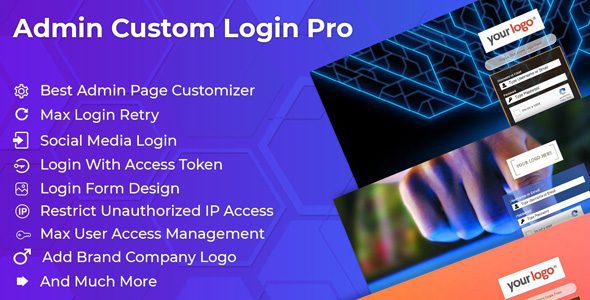
Admin & developer tools · Weblizar
Replaces the default WordPress login screen with a fully branded page and adds login hardening: retry limits, IP rules, role restrictions, reCaptcha and social sign-in.
File manifest
Downloads open on Loadpier in a new tab. Add only the files you need to your queue.
Package contents & compatibility
Release history & rollback
This is the current package in the catalog. Check the official product page for release details and compatibility notes.
Official product pageNo earlier package is currently available for this product.
Product overview
Admin Custom Login Pro is a WordPress plugin from Weblizar that replaces the default wp-login.php screen with a fully branded login page and adds a set of access controls on top. Version 6.5 of the premium edition combines visual customization — logo, backgrounds, slideshows, fonts and form layout — with login security features such as retry limits, IP restrictions and social sign-in, all managed from one settings dashboard inside wp-admin.
The design layer covers nearly every visible element of the login page. You can upload a company logo and control its size and placement, set a solid background color, a single image or an image slideshow with four animation effects, and position the login form on the left, right or center of the screen. The form itself accepts custom colors with opacity control, adjustable height and width, font colors and sizes, editable label and placeholder text, and restyled buttons with their own color and size settings.
Typography is handled through a library of more than seven hundred Google and general fonts, so the login page can match a brand’s type system without writing custom CSS. Social profile icons for more than ten networks can be displayed inside or outside the form in square or circular style, which suits community and membership sites that want their social presence visible at the sign-in point. The layouts are responsive, and the vendor lists compatibility with major browsers.
Beyond appearance, the Pro edition adds several login hardening tools. A maximum login retry setting caps how many attempts a user gets, and when the plugin detects repeated invalid attempts it freezes the login form for a period of time; only an administrator can unfreeze it, using a secret key. An IP restriction option limits dashboard access to authorized addresses, so unknown IPs never reach the login page at all.
User-level controls go further: the administrator can restrict login by WordPress role, ban one or more specific users from signing in, and cap how many users may access the dashboard concurrently, which the vendor positions as a way to reduce server load on busy sites. A login-with-access-token feature grants temporary admin access to a user without handing over a password, which is useful when a contractor needs short-term entry. Google reCaptcha version 2 and 3 support blocks bots and scripted credential attacks, and social login lets users sign in with Facebook, Google or Twitter accounts. A redirect rule can send users to a custom page after login, and all settings can be exported and imported between sites for repeatable client builds.
Login page customization also exists as one module inside broader toolkits. Admin and Site Enhancements Pro bundles a login customizer with dozens of admin cleanup modules, so if your real need is general backend consolidation rather than a deep login page editor, that suite may already cover it. Admin Custom Login Pro is the more focused choice when the login screen itself is the deliverable, since its entire settings panel is dedicated to that one page.
For the rest of the admin experience, it pairs naturally with Admin Columns Pro, which customizes the list tables users see after they sign in. On the security side, the brute-force freeze and IP allowlist here are useful basics, but they are not a firewall or malware scanner; sites with serious exposure should still run a dedicated security layer such as Wordfence alongside it rather than treating login throttling as complete protection.
Agencies and freelancers delivering client sites benefit most: a branded login screen is a small, visible deliverable that makes a handover feel polished, and the import and export feature turns one design into a reusable asset across projects. Membership, e-learning and community sites get value from the social login and role-based restrictions, and administrators on shared hosting can use the concurrent-user cap and retry limits as lightweight load and abuse control without configuring a full security suite.
The vendor does not publish separate minimum WordPress or PHP requirements for the Pro edition. The free edition’s official wordpress.org listing, which shares the same codebase lineage, is declared tested up to WordPress 7.1.4 and PHP 8.5; treat those as vendor-declared values for the free plugin rather than a runtime guarantee for this release, and verify your own combination on staging. The vendor also maintains no public changelog for the Pro line, so no verified list of changes specific to version 6.5 can be quoted here.
This package is the 6.5 release of the premium edition without a license key, which means vendor support tickets and automatic updates are unavailable. Confirm the package contents and behavior on a test site before deploying anywhere that matters, and keep the free edition’s settings export format in mind if you migrate a design between the two.
Back up the database and files first, and record the current login URL. On a staging copy, upload the ZIP through Plugins → Add New → Upload Plugin, activate, then configure the design settings before enabling any access control. Test the security options in a careful order — reCaptcha first, then retry limits, then IP restrictions last — because the IP allowlist and freeze rules can lock you out of your own site if misconfigured; keep FTP access and a second administrator account in reserve. For rollback, deactivate the plugin, restore the previous package version, or remove the plugin folder over FTP. The plugin stores its configuration in the WordPress options table, so a complete reset means deleting its option entries per the vendor documentation.
Admin Custom Login Pro works best as a focused deliverable: when the login screen itself is the job — a branded, on-message sign-in page for a client handover or a membership site — its whole settings panel is dedicated to that one page, and it goes deeper on form layout, backgrounds and fonts than general toolkits do. The trade-off is that its security features are solid basics, not a security suite: retry limits, a brute-force freeze and an IP allowlist stop casual abuse but do not replace a firewall.
Documentation review on November 15, 2026: official product information was checked; no installation or runtime test was performed.
The package contains the complete premium version of the product — the same code the developer sells. A license key is not included, so automatic updates and vendor support tickets are not available; new versions appear in this catalog as they are released.
Pro layers access control on top of the design tools: login retry limits, a brute-force freeze with secret unfreeze key, IP restrictions, role-based login rules, user bans, concurrent dashboard access caps, access-token login, and social sign-in with Facebook, Google and Twitter.
The vendor declares no minimums for the Pro edition. The free version's wordpress.org listing is tested up to WordPress 7.1.4 and PHP 8.5. Verify your exact combination on a staging site first.
Yes. The IP allowlist and brute-force freeze can block legitimate access if misconfigured. Keep FTP access and a second admin account ready, enable IP rules last, and note the secret unfreeze key.
Yes. Users can sign in with Facebook, Google or Twitter accounts, and Google reCaptcha version 2 and 3 can be enabled to block bots and scripted login attempts.
No. The vendor does not publish a changelog for the Pro line, so the specific changes in 6.5 cannot be confirmed from official sources. Only the free edition has a public release history.