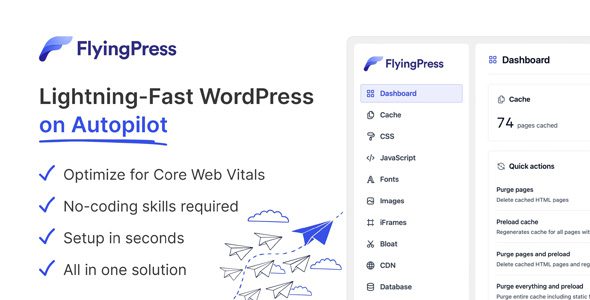
FlyingPress combines full-page caching with controls for CSS, JavaScript, fonts, images and database cleanup. It generates static HTML for eligible visits and can rebuild cached pages after site changes. Separate settings defer scripts, delay JavaScript until interaction and lazy-load media, so each optimization can be tested on its own.
For a media-focused optimization workflow, compare WP Smush Pro.
The dashboard also reports TTFB, LCP, INP and CLS from real visits. Cloudflare integration can extend page caching to the edge, while Redis object caching is available on supported hosts. These are separate layers: measure the effect of each one rather than enabling everything at once.
Key features
- Page delivery: generate static HTML, preload the cache and preload a linked page shortly before a visitor opens it.
- Asset controls: minify CSS and JavaScript, defer scripts, delay selected scripts, remove unused CSS and self-host Google Fonts.
- Media handling: compress images to WebP or AVIF, lazy-load images, iframes and videos, add missing dimensions and prioritize above-the-fold resources.
- Maintenance and measurement: clean database tables, track real-user Core Web Vitals, integrate with Cloudflare and use Redis object caching where the host supports it.
Who it is for
FlyingPress fits WordPress blogs, business sites, publications and stores that need caching plus front-end cleanup without assembling several overlapping plugins. WooCommerce users can benefit from cache purging, but cart, checkout, account and other dynamic flows still need testing.
It is less suitable when the host already manages every cache layer and forbids additional page-cache plugins. Administrators who cannot test on staging should avoid aggressive unused-CSS removal and broad JavaScript delay rules.
Things to know
Disable duplicate caching, minification, lazy loading or script delay in other plugins and hosting panels before comparing results. Back up the database, plugin files and `wp-config.php`; FlyingPress can change cache-related configuration. Check logged-out pages, menus, forms and the complete purchase flow after every settings group.
Exact WordPress and PHP compatibility has not been verified for version 5.6.7. No license key, developer support or automatic updates are included. Features that depend on a developer account or cloud service may require a separate valid license; their availability has not been verified. The catalog archives are scanned and checksum-verified, and the file manifest publishes the hash so you can confirm the download yourself.
What changed in FlyingPress 5.6.7
FlyingPress 5.6.7, released November 5, 2026, hashes full source URLs into self-hosted CSS/JS filenames to prevent collisions, improves recovery and retries for interrupted preload and image-optimization tasks, enforces the configured preload concurrency limit, and fixes a fatal error involving an undefined is_user_logged_in function.
Installation and rollback
Back up the site and export any existing performance settings. In WordPress, open Plugins → Add New → Upload Plugin, upload the FlyingPress ZIP and activate it. Turn off overlapping optimizations elsewhere, configure page caching first and preload the cache. Then add asset and media optimizations one group at a time, testing as both a logged-in administrator and a logged-out visitor.
For rollback, deactivate FlyingPress and purge any remaining page, CDN or object caches. Restore the previous plugin files and configuration from a known-good backup rather than overwriting settings blindly. Review cache constants and drop-ins before reactivating another optimization plugin.