4.3.6
Source date November 17, 2026
Speed · WPMU DEV
WP Smush Pro
Optimize WordPress images with compression, modern formats, lazy loading and CDN delivery.
Catalog package4.3.6Source date November 17, 2026Download 4.3.6
File manifest
Choose packages
PackageVersionFileAction
Downloads open on Loadpier in a new tab. Add only the files you need to your queue.
Package contents & compatibility
What to install and what depends on it
PackageInstall orderDependencyScan
WP Smush Pro1 · install firstCheck product requirementsPassed
File checksClamAV + heuristic
WordPress / PHP compatibilityUnknown — not verified
SHA-256Checks download integrity, not security
Release history & rollback
Current by default, previous when needed
No earlier package is currently available for this product.
Product overview
What WP Smush Pro does
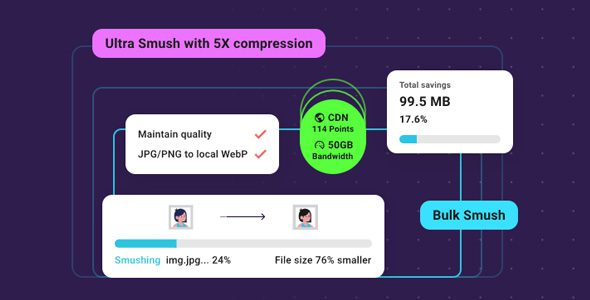
WP Smush Pro brings several WordPress image tasks into one plugin: compression, conversion to modern formats, deferred loading and optional CDN delivery. Administrators can process an existing library, handle new uploads and choose how different image locations are treated. Any CDN, remote processing or account-dependent service should be checked separately; having the plugin files does not establish service entitlement. This makes it a practical option when media optimization needs consistent settings rather than manual work in separate tools.
Before running a large batch, select a few pages with photographs, transparent graphics and images displayed at different sizes. Record their loading behavior and appearance, then compare them after processing. Keep a restorable copy of the site and original media so an unsuitable compression or resizing choice does not become a site-wide cleanup job.
Key features
- Flexible compression: basic, higher and Ultra modes provide different optimization levels for new and existing images.
- Modern image formats: WebP and AVIF conversion can supply smaller alternatives where the visitor’s browser supports them.
- Delivery controls: lazy loading, preloading and an optional global CDN help manage when and where images are served.
- Broad media coverage: settings cover the uploads library, eligible images in other directories and multisite configurations.
- Original-file handling: backup and restore options support a more controlled approach to bulk optimization.
Who it is for
The plugin suits content-heavy publications, stores with extensive product galleries and portfolio sites where images account for much of the page weight. It is also relevant to administrators who want one place to manage uploads, background processing and delivery settings across a site or network.
A small site with only a handful of properly sized images may gain little from the additional controls. Likewise, optimization cannot repair oversized page layouts, inefficient themes or unrelated server delays. Treat it as one part of front-end performance work, not a substitute for measuring the complete page.
Things to know
Exact WordPress and PHP compatibility has not been verified for this package. Confirm the environment on staging before deployment. This download includes no license key, developer support or automatic updates.
The archive is scanned with ClamAV and heuristic checks before it reaches the catalog, and the published checksum lets you confirm that the file you download is exactly the file that was checked. This entry covers version 4.3.6; the official changelog lists later releases, so verify the intended version before installation.
What changed in WP Smush Pro 4.3.6
Version 4.3.6 is identified in the supplied main plugin package. Detailed official release notes for this exact version were not verified during review, so no specific fix, feature addition or release date is claimed here. Check the optimization queue, image display and server error log on staging before updating a live media library.
Installation and rollback
Back up the WordPress files, database and current plugin configuration first. On a staging site, open Plugins → Add New → Upload Plugin, upload the WP Smush Pro ZIP and activate it. Review compression, resizing, format conversion, lazy loading and original-image settings before starting a bulk job. Test a small batch, inspect the front end and only then extend processing to the production library.
For rollback, deactivate the replacement and restore a previously tested plugin version if one is available. If image files or settings were changed, restore the corresponding backup as well. Recheck cached pages and CDN-delivered assets afterward so old and newly processed files are not confused during testing.
Our take
WP Smush Pro is most useful when image work has become a recurring administration task rather than an occasional cleanup. Its bulk tools, upload processing and delivery options can centralize that work, but aggressive settings still deserve visual checks. Start with a backed-up staging copy, measure representative pages and keep original images available before processing an established media library.
Good
- Bulk processing and automatic optimization for newly uploaded images
- WebP and AVIF conversion with higher compression options
- Lazy loading, preloading and optional global CDN delivery
- Controls for uploads, other directories and multisite installations
Watch out
- Bulk changes require backups and careful visual quality checks
- CDN and related service access should be confirmed separately
- Exact WordPress and PHP compatibility has not been verified
- No license key, developer support or automatic updates included
Requirements and compatibility
- Exact WordPress and PHP requirements have not been verified for this package.
- Test the main package and each addon on a staging site before updating production.
- A license key is not included. Developer support, automatic updates and cloud services are separate offerings from the original developer.
How to install WP Smush Pro
- Download the main package on this page. Keep addons for later unless you need their features.
- In WordPress, open Plugins → Add New → Upload Plugin, upload the ZIP and activate it after installation.
- Install additional packages only after checking that the main product works with your site.
- Test your critical workflow on a staging site before updating production.
WP Smush Pro FAQ
Can WP Smush Pro process images already in the media library?
Yes. It includes bulk optimization tools for existing images as well as automatic processing for new uploads. Back up original files before a large batch.
Is this the full Pro version of the product, and is a license key included?
The package contains the complete premium version of the product — the same code the developer sells. A license key is not included, so automatic updates and vendor support tickets are not available; new versions appear in this catalog as they are released.
What changed in WP Smush Pro 4.3.6?
The main plugin package is version 4.3.6. Detailed official release notes were not verified, so no specific changes are claimed here.
Is exact WordPress and PHP compatibility confirmed?
No. Exact compatibility has not been verified for this package. Test activation, optimization and image delivery on a staging copy of your own environment.
How should I roll back an unsuccessful optimization?
Deactivate the plugin, restore a tested earlier plugin package if available and recover affected settings or media from backup. Clear relevant caches and inspect image delivery afterward.