Codenulled
JetFormBuilder logo

Forms & contact · Crocoblock

JetFormBuilder

Build structured WordPress forms visually with validation, uploads and flexible submission settings.

Catalog package3.6.8.1Source date November 17, 2026Download 3.6.8.1
Release history & rollback3.6.8

File manifest

Choose packages

2 available
PackageVersionFileAction
Jet Form Builder WP PluginMain package
3.6.8.1
4.1 MB4095b3600d91…
Download
Jet Form Builder AddonsAdditional package
3.6.8.1
9.2 MBc01fbae6fd7f…
Download

Downloads open on Loadpier in a new tab. Add only the files you need to your queue.

Package contents & compatibility

What to install and what depends on it

PackageInstall orderDependencyScan
Jet Form Builder WP Plugin1 · install firstCheck product requirementsPassed
Jet Form Builder Addons2 · optional packageInstall after main packagePassed
File checksClamAV + heuristic
WordPress / PHP compatibilityUnknown — not verified
SHA-256Checks download integrity, not security

Release history & rollback

Current by default, previous when needed

3.6.8.1 Source date November 17, 2026

Current catalog package

JetFormBuilder 3.6.8.1 prevents stored XSS through Calculated-field post meta and dynamic preset values, blocks shortcode execution through preset values, requires permission to edit the target user in Update User actions, and blocks unsafe URL schemes in JFB_FIELD links and custom redirects.

Official product page

No earlier package is currently available for this product.

Product overview

What JetFormBuilder does

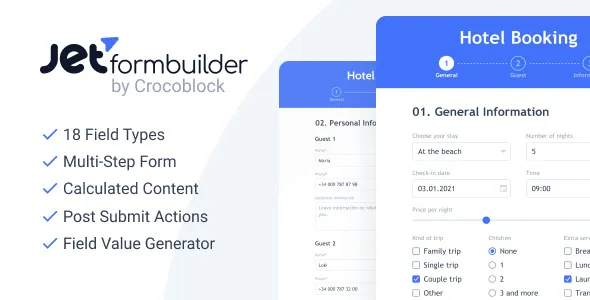
JetFormBuilder adds a visual form-building workflow to the WordPress block editor. Instead of assembling a form through a separate design interface, site editors can arrange fields, adjust their settings and prepare submission behavior within the familiar editor environment. It can handle everyday contact requests as well as more structured intake forms that need consistent data.

The main plugin is the starting point. Its companion archive contains optional extensions, so a site can begin with a small setup and add functionality only when a specific workflow calls for it.

Key features

  • Block-based editing: build and revise forms in the WordPress editor, with inline controls for individual fields.
  • Data-quality tools: use validation and input masks to guide visitors toward the expected format before submission.
  • Submission controls: choose how the form submits and edit the messages visitors see afterward.
  • Operational safeguards: configure available spam protection and review upload settings before accepting visitor files.
  • Reusable starting points: form patterns can reduce repetitive setup when several forms share a similar structure.

Who it is for

JetFormBuilder suits WordPress site owners, agencies and content teams that want forms to remain part of their block-editing workflow. Typical uses include enquiry pages, quote requests, document collection and other forms where field consistency matters.

It is less appealing for a team committed to a different form ecosystem or a site that avoids the block editor. Before migrating existing forms, list their required fields, validation rules, messages and integrations rather than assuming a one-click move will preserve every detail.

Things to know

The package contains a main JetFormBuilder archive and a separate addons archive. Install the main plugin first; the addons are optional packages, not a single mandatory bundle. Review each extension independently and enable only those needed by the intended form.

Exact WordPress and PHP compatibility has not been verified for this package. No license key, developer support or automatic updates are included. Before publication the package goes through malware and heuristic scanning, and its SHA-256 hash is documented in the file manifest for verification. Use a staging site and retain a restorable backup.

What changed in 3.6.8.1

JetFormBuilder 3.6.8.1, released November 6, 2026, prevents stored XSS through Calculated-field post meta and dynamic preset values, blocks shortcode execution through preset values, requires permission to edit the target user in Update User actions, and blocks unsafe URL schemes in JFB_FIELD links and custom redirects.

Installation and rollback

Back up the site and database first. In WordPress, open Plugins → Add New → Upload Plugin, upload the main JetFormBuilder ZIP and activate it. Leave the optional addons archive aside until the core form works as intended. Build a small form, then check required fields, validation, uploads, spam settings and post-submit messages on staging. Submit a test entry and confirm where its data goes and who can access it.

For rollback, export form definitions where the interface permits and take another backup. Deactivate the plugin, restore a known-good earlier package and repeat the submission checks. Roll back any installed addons separately; replacing the main plugin does not revert those packages.
Our take

JetFormBuilder is a sensible fit for sites already built around the WordPress block editor. It keeps field layout and form styling close to the page-editing workflow while providing practical controls for validation, uploads and spam handling. The supplied addons are optional rather than part of the core installation. Start with the main plugin, configure one complete form and check every submission path before adding extensions.

Good

  • Visual form construction inside the WordPress block editor
  • Validation rules and input masks for cleaner submissions
  • Upload handling, spam controls and editable response messages
  • Optional extensions are supplied separately from the main plugin

Watch out

  • Advanced workflows still require careful field and action configuration
  • The separate addon archive needs individual review before installation
  • Exact WordPress and PHP compatibility has not been verified
  • No license key, developer support or automatic updates are included

Requirements and compatibility

  • Exact WordPress and PHP requirements have not been verified for this package.
  • Test the main package and each addon on a staging site before updating production.
  • A license key is not included. Developer support, automatic updates and cloud services are separate offerings from the original developer.

How to install JetFormBuilder

  1. Download the main package on this page. Keep addons for later unless you need their features.
  2. In WordPress, open Plugins → Add New → Upload Plugin, upload the ZIP and activate it after installation.
  3. Install additional packages only after checking that the main product works with your site.
  4. Test your critical workflow on a staging site before updating production.

JetFormBuilder FAQ

Are the JetFormBuilder addons required?

No. The main plugin and addons are separate packages. Install the core plugin first and add only extensions needed for a specific workflow.

Does JetFormBuilder work in the block editor?

Yes. Its form-building workflow is designed around the WordPress block editor, including field arrangement and inline field editing.

Is this the full Pro version of the product, and is a license key included?

The package contains the complete premium version of the product — the same code the developer sells. A license key is not included, so automatic updates and vendor support tickets are not available; new versions appear in this catalog as they are released.

What fixes are included in version 3.6.8.1?

The official release lists security fixes for stored XSS, preset-driven shortcode execution, Update User permissions and unsafe URL schemes.

How should I prepare for a rollback?

Back up the database and site, export forms where available, and keep a known-good earlier package. Test restoration and submissions on staging first.