6.2.17
Source date November 3, 2026
Current catalog package
Detailed Pro release notes not verified; core 6.2.17 is dated Oct 16, 2026.
Official product page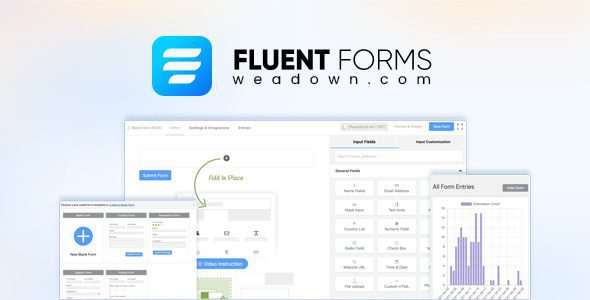
Forms & contact · WPManageNinja
Build advanced WordPress forms with payments, calculations, quizzes and integrations.
File manifest
Downloads open on Loadpier in a new tab. Add only the files you need to your queue.
Package contents & compatibility
Release history & rollback
Detailed Pro release notes not verified; core 6.2.17 is dated Oct 16, 2026.
Official product pageNo earlier package is currently available for this product.
Product overview
Fluent Forms Pro extends the free Fluent Forms plugin with tools for multi-step forms, numeric calculations, file uploads, payments, quizzes, user registration and third-party integrations. Forms are built in a drag-and-drop editor, while entries, notifications and integration feeds remain accessible from the WordPress dashboard.
The plugin can handle a quote request with conditional fields, a donation page with calculated totals or a registration workflow that routes notifications by answer. Start with the required fields and messages, then add conditional rules after the basic submission path works.
Fluent Forms Pro suits service businesses, event sites, membership projects and small stores that need forms connected to payments or operational follow-up.
A simple contact page may not need Pro because the free edition already covers standard form building. External services also remain part of the workflow: gateway credentials, CRM access and notification delivery require separate configuration.
Install and activate the free Fluent Forms plugin before the Pro add-on. The main archive is Fluent Forms Pro 6.2.17. WP Fluent Forms Signature 4.4.1 is a separate optional package and is not required for the main form builder. Exact WordPress and PHP compatibility for these packages has not been verified. No license key, developer support or automatic updates are included.
Features tied to external accounts still require valid credentials and may have separate service terms. Every package passes ClamAV and heuristic checks before publication, and the file manifest lists the SHA-256 hash so you can verify the archive byte for byte. Check form permissions carefully when delegating access, especially where entries contain personal data, uploaded files or payment details.
The official changelog has a Fluent Forms 6.2.17 core entry dated October 16, 2026, but no separate Pro 6.2.17 entry. Detailed release notes for the exact Pro version are not verified, so core-only changes are not attributed to the Pro package here.
The optional Signature archive has its own 4.4.1 version and is not part of the Pro 6.2.17 release notes. Before updating, review your existing forms, payment flows and integration feeds on staging so that any regression can be isolated without affecting live submissions.
Back up the site files and database. In WordPress, open Plugins → Add New, install and activate the free Fluent Forms plugin, then open Plugins → Add New → Upload Plugin and upload the main Pro 6.2.17 ZIP. Activate Pro, review global settings and submit a test form before enabling payments or live integrations. Install the optional Signature 4.4.1 ZIP separately only when signature input is needed.
Check notifications, uploaded files, conditional rules and each integration feed with test data. For rollback, reproduce the problem on staging and review the core, Pro and optional Signature versions separately. Replace the main Pro files with a known-good earlier package only after testing it with the installed core version. Restore a database backup cautiously because newer entries, orders and settings may otherwise be lost.
Fluent Forms Pro is a strong fit when a site needs more than a basic contact form but should keep entries and form management inside WordPress. Start with one workflow, such as a payment or registration form, and check notifications, permissions and integration feeds before adding more automation.
Yes. Install and activate the free Fluent Forms core plugin before uploading and activating the Pro add-on.
Detailed Pro release notes are not verified. The official changelog lists core 6.2.17 on October 16, 2026, but has no separate Pro 6.2.17 entry.
The package contains the complete premium version of the product — the same code the developer sells. A license key is not included, so automatic updates and vendor support tickets are not available; new versions appear in this catalog as they are released.
No. Exact compatibility has not been verified for these packages, so test your target environment on staging first.
No. WP Fluent Forms Signature 4.4.1 is an optional separate package. The main product is Fluent Forms Pro 6.2.17.