5.3.14
Source date December 31, 2024
Current catalog package
Fixed an Elementor loading issue and updated the core plugin.
Official product page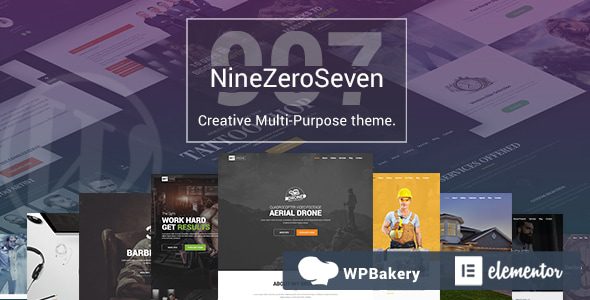
Builder-friendly themes · webcreations907
Build one-page or multi-page WordPress sites with parallax sections, video backgrounds, portfolio layouts and visual builder support.
File manifest
Downloads open on Loadpier in a new tab. Add only the files you need to your queue.
Package contents & compatibility
Release history & rollback
Fixed an Elementor loading issue and updated the core plugin.
Official product pageNo earlier package is currently available for this product.
Product overview
907, also identified in its theme header as NineZeroSeven, is a multipurpose WordPress theme with a particular emphasis on visual landing pages, portfolios and full-screen sections. It supports both one-page navigation and ordinary multi-page sites, with parallax imagery, video backgrounds and design controls that can be changed for individual pages.
For other multipurpose editing approaches, compare Enfold, Impreza and Essentials. Those themes may be a better reference point if a conventional business site matters more than 907’s presentation effects.
The vendor documentation describes compatibility with Elementor and WPBakery rather than requiring both builders together. Choose the workflow already used by the site and avoid rebuilding the same page in two editors. The package also contains Slider Revolution archives and the WBC907 core plugin, but bundled components should be reviewed independently before use.
Theme options cover shared colors, typography, headers, footers, blog and portfolio settings. Many choices can be overridden on a single page, including menus, logos and layout colors. That flexibility is useful for campaigns with different visual identities, although it also means a style audit should include page-level settings rather than only the global panel.
907’s portfolio tools are more central than a simple gallery widget. Entries can use featured images, galleries or supported video embeds, while portfolio shortcodes provide filtering and presentation options. The official demo also describes mouse-over video previews for portfolio grids. These effects deserve real device checks: autoplay behavior, data usage, cover images and keyboard access can differ between desktop and mobile browsers.
For a photography or creative-services site, start with the content structure before importing a demo. Decide which portfolio categories and filters visitors actually need, then remove unused sample entries and navigation items. A smaller set of relevant projects is easier to maintain than a large imported showcase.
The theme fits agencies, freelancers, local businesses and visual portfolios that want dramatic section backgrounds without developing a custom theme. It is also relevant to one-page service sites that need anchors, reusable calls to action and per-page branding.
A text-led publication or a team standardized on native block themes may prefer a lighter editing model. Existing 907 sites should record builder usage, custom post types, reusable sections, menu anchors and overridden options before changing themes or updating a production installation.
The verified 5.3.14 download is an outer package containing documentation, a changelog, `ninezeroseven.zip`, `ninezeroseven-child.zip` and plugin archives. The main installable parent theme is `ninezeroseven.zip`; its static header identifies NineZeroSeven version 5.3.14. Do not upload the outer archive and assume the theme has been installed.
Exact current minimum WordPress and PHP requirements have not been verified for this release. The bundled documentation contains older setup examples, so its historical server guidance should not be treated as a fresh compatibility test. No installation or runtime test has been performed here.
The vendor changelog dated December 21, 2024 lists two changes: a bug fix for an Elementor loading issue and an update to the core plugin. It does not identify a new demo, a new builder or a security release. Sites using Elementor should still check the editor and the affected front-end widgets on staging rather than assuming that every loading conflict is covered.
Back up files and the database, then extract the outer package locally without executing its contents. On an isolated staging site, upload `ninezeroseven.zip` through Appearance → Themes → Add New → Upload Theme. Install the child ZIP only if child-theme customization is planned, and keep the parent theme installed. Add the core or premium plugins required by the chosen design rather than activating every bundled component by default.
After setup, inspect global and page-specific options, menus, anchor links, portfolio items, forms, mobile backgrounds and any WooCommerce templates. Demo imports are best evaluated on a clean staging copy because they can create substantial sample content.
For rollback, switch to the previous known-good theme and restore its tested parent or child package where necessary. If importer or settings changes remain, restore the database backup as well. Keep custom CSS and child-theme files outside the parent package so an update does not erase them.
907 is most distinctive when a project needs full-screen imagery, portfolio presentation and one-page navigation rather than a conventional blog theme. Its page-level design controls are useful for varied landing pages, but demos, builder content and bundled plugins add setup decisions. Version 5.3.14 is a focused Elementor and core-plugin maintenance release; verify the nested theme package and your existing layouts on staging.
Documentation review on November 11, 2026: official product information, bundled documentation and static ZIP headers were checked; no installation or runtime test was performed.
Upload the nested ninezeroseven.zip as the parent theme. The outer 5.3.14 archive also contains documentation, a child theme and bundled plugin archives.
No. The vendor describes compatibility with both builders. Use the editor required by your existing layouts instead of building the same page with both.
No. WooCommerce is relevant only for shop functionality. Portfolio, blog and one-page sites can be reviewed without treating ecommerce as a dependency.
The December 21, 2024 vendor changelog lists an Elementor loading fix and a core-plugin update. No other feature additions are claimed here.
No. Exact current minimums and runtime compatibility have not been verified. Test the nested theme and selected plugins in your own isolated staging environment.
Enfold, Impreza and Essentials are useful comparisons for visual page building and business sites. Their builders and content structures differ from 907’s portfolio and parallax approach.
The package contains the complete premium version of the product — the same code the developer sells. A license key is not included, so automatic updates and vendor support tickets are not available; new versions appear in this catalog as they are released.